On this page
Your first test in minutes.
You describe an end-to-end test in plain English and a test agent carries it out. The Cloud browser needs nothing installed; your own Mac or PC, an iPhone simulator on a Mac, and an Android emulator on a Mac or an x64 PC need the xtest app. Every run is kept with its steps and cost, and its screenshots for 30 days.
The Cloud browser is shared by everyone on xtest. When it is full, the device picker says so; try again in a few minutes, or use Chrome on your own computer through the xtest app.
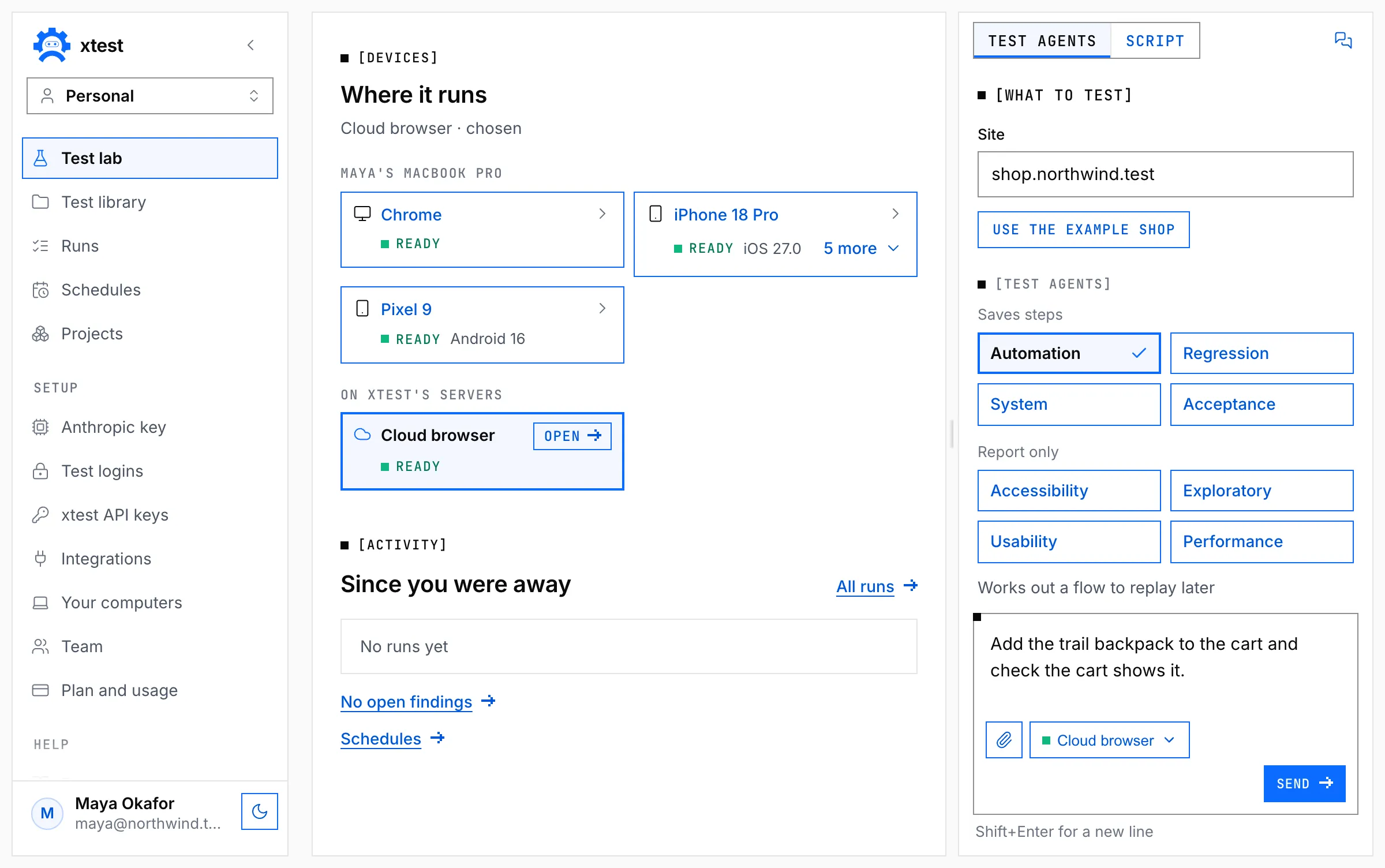
Pick the device, give the site and choose a test agent, then press Run. Use the example shop fills in a public demo shop, and the box at the foot of the panel, which holds the device picker, takes the same request in your own words: with words in it, Run is Send.
1
Choose a plan and make your account
The $25 plan runs on your own Anthropic key. Professional and above include Claude Sonnet 5, so there is nothing to connect. Checkout goes through Stripe, then you choose a password and the account is yours.
2
Open the Test Lab and pick a device
The Cloud browser needs nothing installed. Install the xtest app on a Mac or a PC and the same picker also offers that computer’s own browser window, its Android emulators on a Mac or an x64 PC, and on a Mac your iPhone simulators. AI control on Windows needs xtest app 0.5 or later.
3
Add your Anthropic key, on the $25 plan only
Paste the key under Setup, Anthropic key, or into the box Test Lab shows near the top of the test agent's panel, on the right, until there is one. It is encrypted with AES-256-GCM before it is stored and used only for your runs. Leave "Ask before paying, deleting, sending" on and the test agent will stop and ask you before it presses a button named like Pay, Delete or Send.
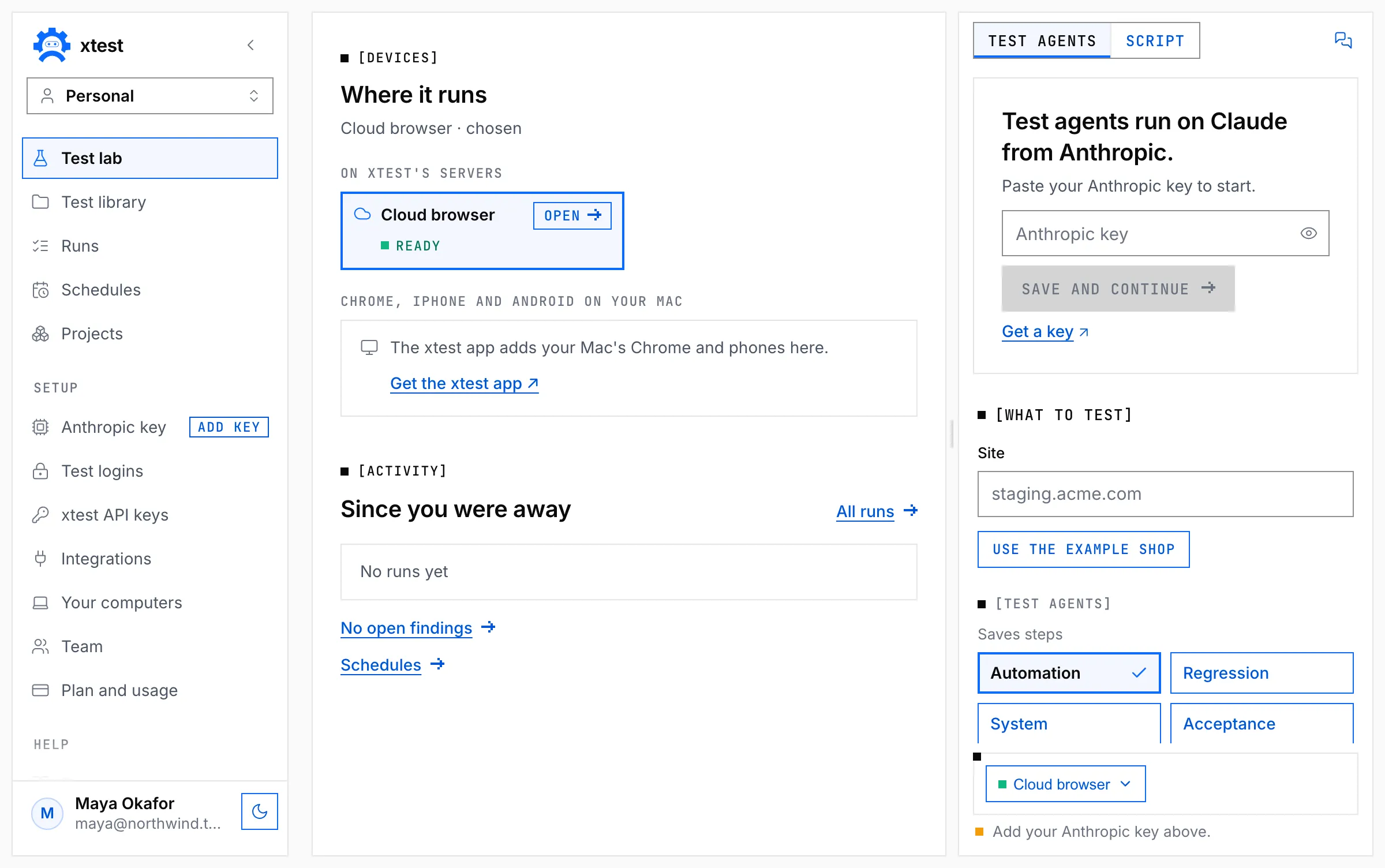
Until there is a key, Test Lab asks for it near the top of the test agent's panel, and the panel's foot keeps the device picker and says what is missing instead of offering a Run button.
4
Say what to test, in plain English
Give the site and pick one of the test agents in the panel on the right, then press Run in the box at its foot, or type something like "sign in and add a laptop to the basket" into that box instead. The test agent does it while you watch the device live, one action at a time, and keeps screenshots as it goes, for 30 days. Take over gives you the mouse mid-run, Give back returns it, Stop ends the run.
5
Run it again at no AI cost
That first run saves its steps. Run with a test agent on the saved test replays them at no AI cost unless a step needs the AI, such as the step that broke. A test costs roughly $0.15 of Claude to work out once, then nothing while its saved steps replay as they are.
6
Or record a flow instead of describing it
Hit record, click through the site yourself, and stop. What lands in the editor is a Playwright file. A recorded password comes out as an environment variable, so the test is safe to share, and the file asserts nothing until you add checks:
import { test, expect } from '@playwright/test';

// Credentials are read from the environment, never stored in this file.
// Set each TEST_ variable it reads wherever it runs, such as your CI secrets.

test("Recorded flow - your-site.example", async ({ page }) => {
  await page.goto("https://your-site.example/login");
  await page.getByLabel('Password').fill(process.env.TEST_PASSWORD || '');
  await page.getByRole('button', { name: 'Sign in' }).click();

  // Recorded flows assert nothing on their own. Add an expect for what this
  // flow should leave on the page, so the test fails when the flow breaks.
  await expect(page).toHaveURL(/.+/);
});No install · No extension · Any site