On this page
Test data the AI can use
xtest never connects to your database. It does not truncate tables and does not generate fake people. It drives your app through its interface like a tester would, so the test data it holds is the handful of things it has to type: a login, a few notes, five sample files, and whatever the test itself says. When a test needs records in place first, give it a test environment: a test API of your own that xtest calls to set them up before the run and clean them up after.
Where a value can come from
Saved logins
A login URL, username, password and an optional authenticator key, per site. xtest fills them in without telling the AI the username, the password or the code made from the authenticator key, and the server makes the two-factor code itself. The username then stays readable on the page, like any text typed there, and on a phone the code can show in a screenshot while it is on screen. A test can name the saved logins it signs in with, under Test login in its menu: its runs are told those first, and when it names one, a saved step whose login was deleted types that one instead.
Notes about the product
Up to 300 characters per note, kept per site, read by the AI before a run there. This is where the test card number and the staging quirks go.
Five sample files
sample-image.png, sample-photo.jpg, sample.pdf, sample.csv and sample.txt. A page asking for an upload gets one of those and nothing else.
Whatever the test says
Values written into the test itself, in plain English. The AI types them as given.
A test environment
A login your own test API makes for the run, when a test names one. The test agent signs in with it for that run, and xtest never stores the password.
How a password is handled
It is encrypted with AES-256-GCM before it is stored, and it is never sent back to your browser: the Test logins screen can show you that a login exists, not what it is. During a run the AI is told a label, not a value, and every secret string in play is replaced with dots before a step is persisted, broadcast or put in a transcript. While one is being typed, the live picture is held so nobody watching sees the characters.
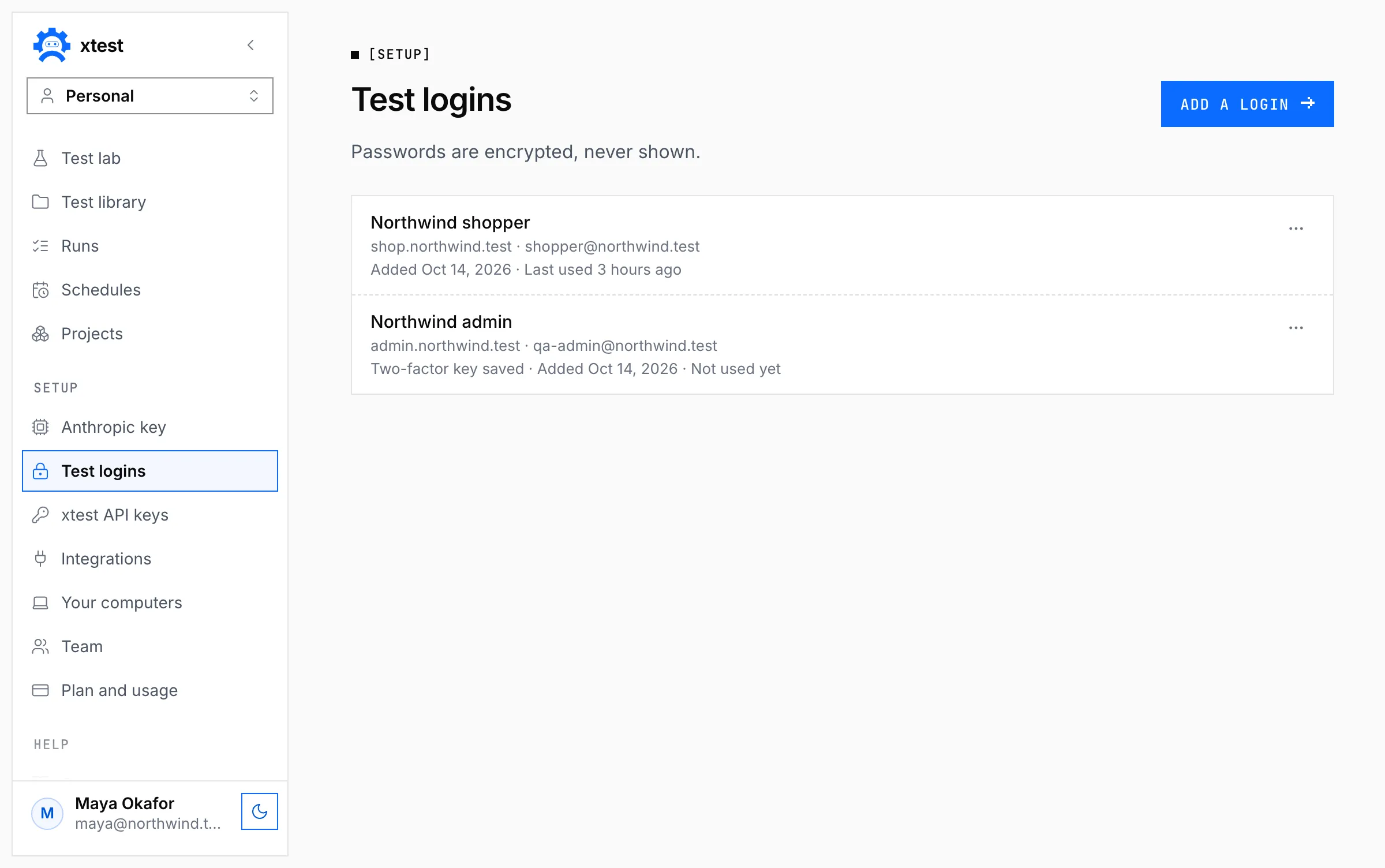
Saved logins the test agents sign in with. The list shows that a login exists, for which site and which username, never the password.
Bringing cases you already have
Import from Excel or CSV, up to 500 cases at a time. The column headers TestRail, Zephyr and Xray export are recognised on sight and mapped to title, steps, expected result, priority and preconditions; a title is the only column that must be there. Rows that cannot be used are listed with the reason rather than dropped quietly. Then run the suite with AI once, and every case has saved steps.
Setting up and cleaning up with a test environment
A test can name a test API of your own under Test environment, in the test’s menu. xtest calls the paths you give it there, and your own code does the work, so xtest itself still never opens your database. In a company, only an admin or the owner changes it.
Set up
xtest sends a POST with the run’s id to your seed path once, before the run’s first test, and the run stops before any test unless it answers with a 2xx status. A run that runs each test several times still sends it only that once, so every time of every test shares the data it sets up, and a test that uses up or changes that data can fail its later times; give such a test its own data, or run each test once. If the answer holds login with a username and password, the test agent signs in with that login during the run. xtest never stores the password. The username may be kept in a saved step that clicks or checks something the site labels with it, such as an account menu.
Clean up
A POST with the run’s id to your clean-up path after the run’s last test, however the tests ended. A run that runs each test several times still sends it only once, after the last time of its last test and never between the times. If xtest restarts before then, it is sent once xtest is back; if the run’s computer is not connected with test agents allowed, once it is, within 7 days. It waits only while the person who ran it is still in this workspace, and deleting the run does not drop it. One sent later waits while another run of the test is going, and goes once that run has ended. Make it safe to repeat. How it went is a line on the run, and it never changes the result.
Read-only checks
Up to 5 named paths the test agent may ask with GET while it tests, to see what your data holds behind the screen, such as whether an order was stored. It gets the status and up to 4 KB of each answer, with the token and the run’s secrets masked out.
Token
Sent as Authorization: Bearer with every call, kept encrypted, and shown only as its first and last characters. A run on the Cloud browser calls your test API from xtest’s servers, so it needs a public https address. A run on your own computer calls it from that computer, a private address included, and the token goes there only once test agents are allowed on it.
Disposable
Off unless you turn it on. When on, the test agent presses delete, send, pay, place order and the other controls it would ask about, on the test’s own address, without asking first. It is told to act only on data the run created, which xtest cannot check, so turn it on only where any data there may be lost.
Without one, keeping the data clean is yours. Point xtest at a staging environment you are happy to have written to, and leave "Ask before paying, deleting, sending" on so the test agent asks you before it presses a button named like Pay, Delete or Send.
Use real production data nowhere
The screenshots a test agent takes and the files you attach in its chat are kept with the run for 30 days, and the page the AI reads and those files are sent to Anthropic. None of them is a good home for a real customer record. Sign in as a test account, on a test environment, with test payment details.
[Academy courses]