On this page
Your first test
A test starts as a sentence. In Test Lab you pick a device, say what you want tested in plain English, and a test agent carries out the end-to-end test while you watch the device live. This page follows one test from the sentence to the run record it leaves behind.
1. Pick a device
The Cloud browser is on every account and needs nothing installed. Install the xtest app on a Mac or a PC and the picker also offers that computer’s own browser window, and on a Mac your iPhone simulators and your Android emulators. AI control on Windows needs xtest app 0.5 or later. An older app is told which version it needs, with the steps to update.
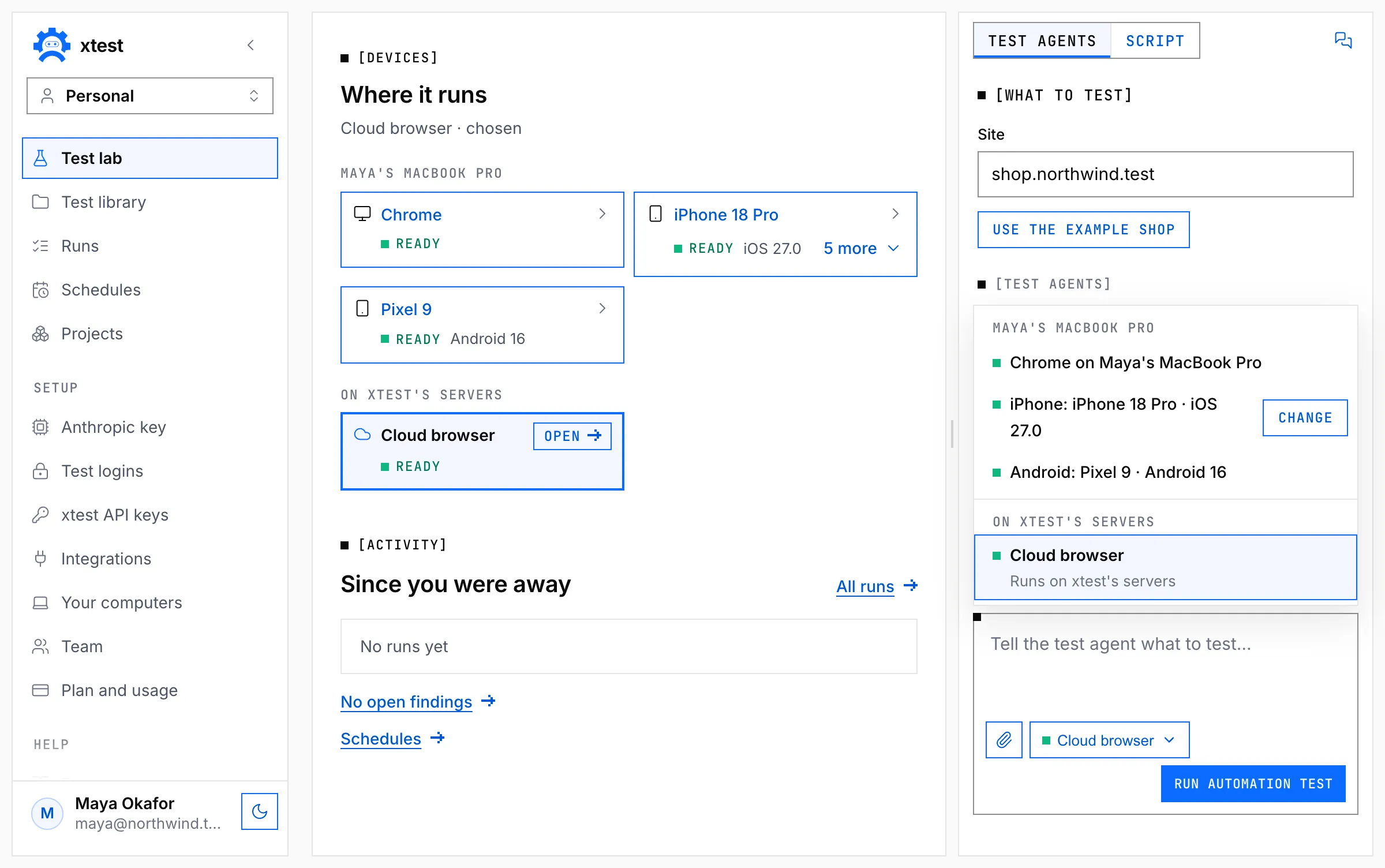
Devices on this Mac sit above the Cloud browser, which runs on xtest's servers.
2. Say what to test
Name where to start and what would prove it worked. One job per test:
Sign in as standard_user, add the backpack to the cart, and check the cart shows one item.
A task with no verdict in it, such as “explore the site and write tests for what you find”, is still a good first run: it comes back with tests you can keep instead of a pass or a fail.
3. Watch it, and take over when you want
The device streams into the page while the AI works, with every action listed as it happens. Take over hands you the mouse and keyboard mid-run, Give back returns them, and Stop ends the run. Before the AI clicks anything that pays, deletes or sends, the server stops and asks you first.
4. Keep the result
Every run lands in Runs with its steps, the checks the AI made, the model it used, how long it took and what it cost, and the screenshots the test agent took are kept with it for 30 days.
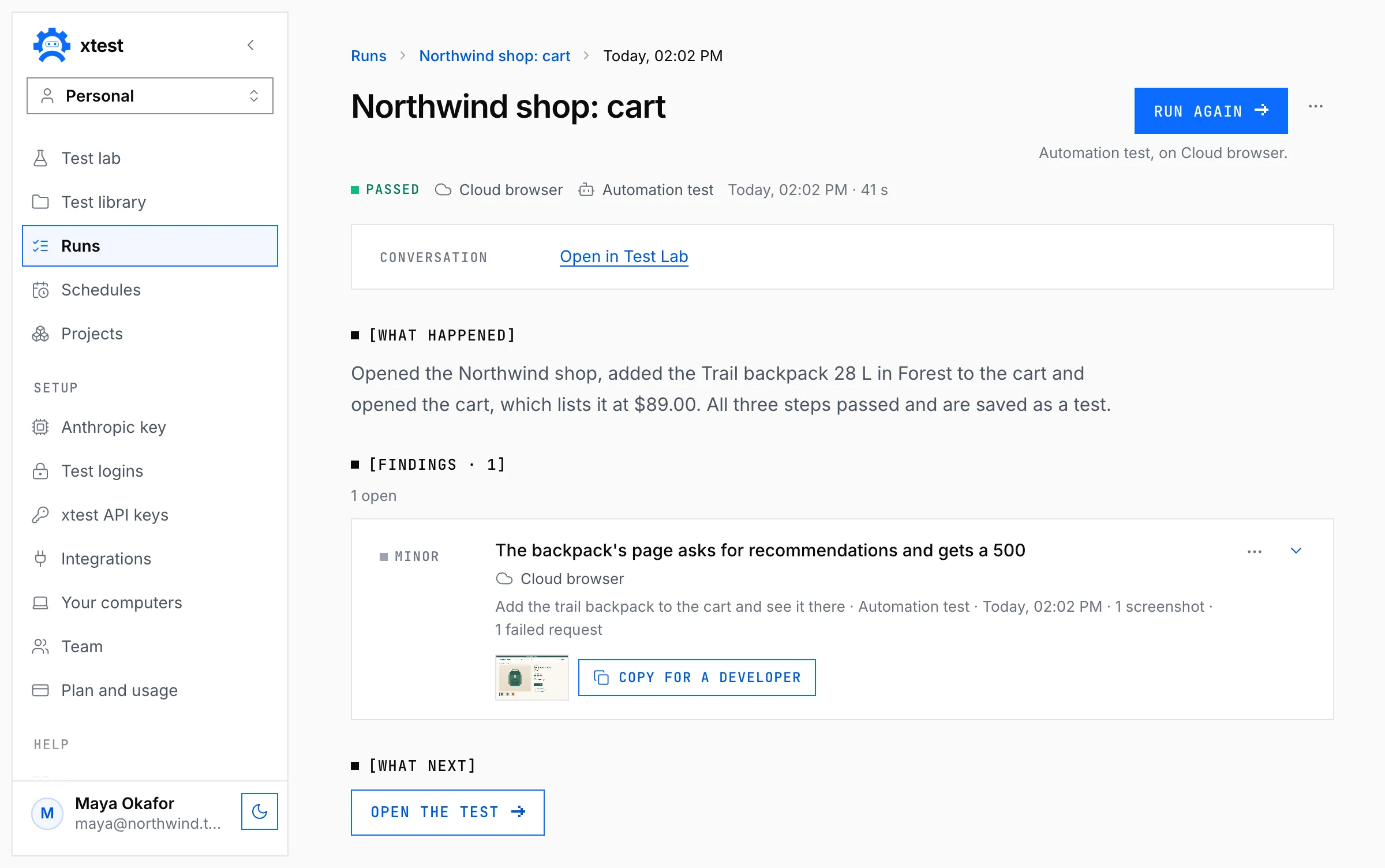
A run that passed on the Cloud browser. Its steps, each check and the screenshots follow further down.
5. Run it again at no AI cost
That first run saves its steps. Running the test again replays the saved steps at no AI cost unless a step needs the AI: one that no longer works, or one that types a value read off the screen. If the test needs a login, save it under Test logins first: the password is encrypted with AES-256-GCM, typed straight into the page, and never written into a transcript.