[The xtest app · macOS and Windows]
AI test automation on your own computer
The xtest app turns your Mac or PC into a device the test agent can use: its own Chrome, signed in to your sites, iPhone simulators on a Mac, and Android emulators on a Mac with macOS 12 or later, or an x64 PC. You watch every run live in Test Lab.
Free download. It needs an xtest account.
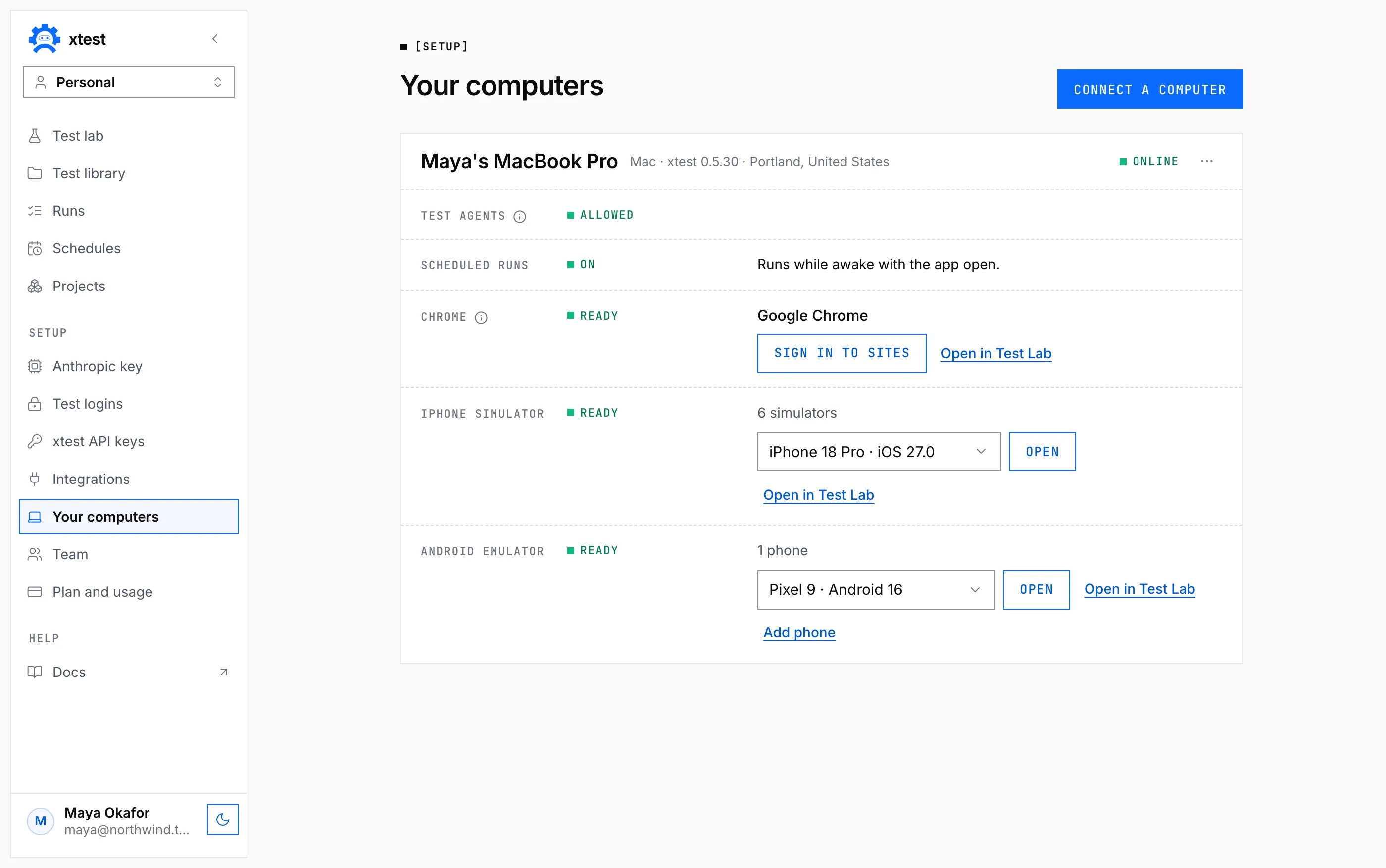
One Mac online, with test agents allowed and scheduled runs on. Chrome, 6 iPhone simulators and one Android emulator are ready to run.
[01 · What it adds]
Your computer becomes a device the AI can test on
Connect the app once and your computer appears in Test Lab’s device picker, beside the Cloud browser.
Your own Chrome
Its own Chrome for Testing, separate from your everyday Chrome and signed in to your sites between runs. Your installed Chrome or Edge stands in until it has downloaded.
iPhone simulators
On a Mac with Xcode. The app lists the simulators Xcode has, and runs your app, or your site in Safari. When Xcode has none, Set up downloads Apple’s iPhone simulator.
Android emulators
On a Mac with macOS 12 or later, or on an x64 PC, set up for you: about 2.5 GB, and it needs 14 GB free. Test agents and saved scripts use one on a Mac, and on an x64 PC from xtest app 0.5.33. An ARM PC gets none, and runs saved scripts only on a phone on a cable once Google’s platform-tools are unzipped into %LOCALAPPDATA%\Android\Sdk, where the app looks.
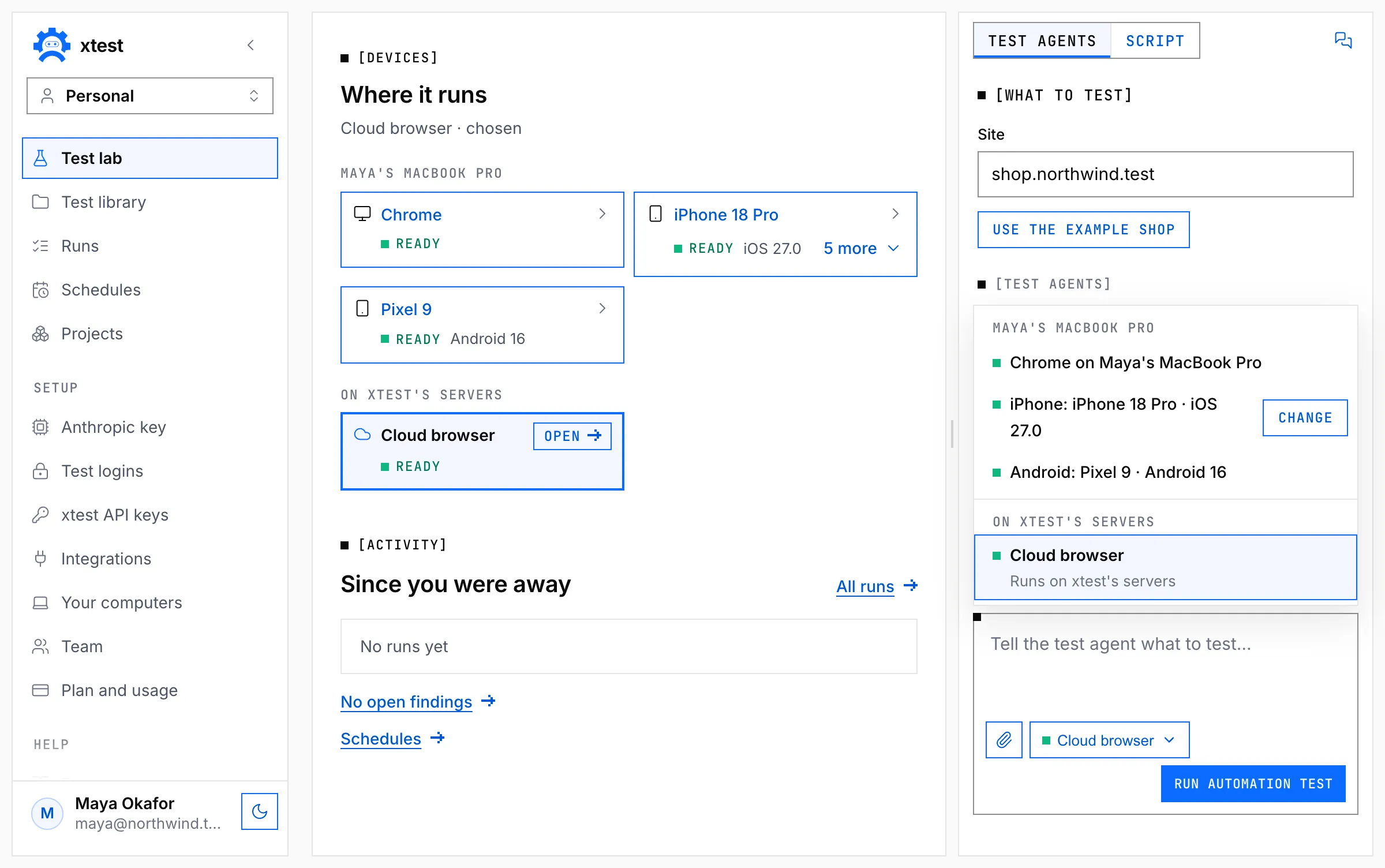
The same Mac in Test Lab, where a run picks which of them to use.
[02 · What you get]
What the app does, line by line.
- chrome
- xtest opens its own browser window: Chrome for Testing, separate from your everyday Chrome. Sign in to your sites there once and it stays signed in between runs.
- iphone
- iPhone simulators, on a Mac with Xcode installed. Apple’s tools run only on macOS, so this one needs a Mac.
- android
- Android emulators on a Mac with macOS 12 or later, or on an x64 PC, set up for you if the SDK is missing. An x64 PC runs test agents and saved scripts on its emulator from xtest app 0.5.33; an ARM PC gets none, and runs saved scripts only on a phone on a cable once Google’s platform-tools are unzipped into %LOCALAPPDATA%\Android\Sdk, where the app looks.
- your build
- Install your own .apk or simulator .app from the app’s window, and choose whether a test starts fresh or keeps its data.
- permission
- The AI uses your computer only after someone at that computer clicks Allow in the app.
- network
- The app connects out to xtest.io; xtest.io never connects in.
- updates
- From version 0.5.8 the app updates itself: a blue Update button in the app, and Update in the tray menu. Updates are signed and checked before they install.
- windows
- AI control works on Windows from xtest app 0.5: the AI drives the app’s own Chrome. An older app is told which version it needs, with the steps to update.
- background
- It runs in the background with a tray icon, and can open when you log in.
[03 · Safe on your computer]
You decide what the AI can touch.
Your call, per computer
Test agents can’t use a computer until someone at it clicks Allow, and turning them off there removes the offer.
What leaves the computer
During a run the screen and what the test agent reads of it go to xtest’s server and on to Anthropic, so the test agent can decide its next step. A file you attach to a message goes from the dashboard to xtest’s server and on to Anthropic in the same way; the app sends no file from this computer by itself. A test with a test API has this computer call it with its token: the set-up, the clean-up, and any read-only check the test agent asks. Each answer comes back to xtest’s server, a login the set-up makes included, which is used for that run: xtest never stores its password, and its username may be kept in a saved step that clicks or checks something the site labels with it, such as an account menu. A check’s status and up to 4 KB of its answer go on to Anthropic too. The live picture is shown and dropped, never stored.
What setup downloads
Setting up downloads from Google (the Android SDK), Apple (the iPhone simulator, through Xcode: about 8 GB on Apple silicon, Xcode 26 or later), npm (Appium) and Playwright’s servers (its Chrome for Testing). An iPhone setup may also run Xcode’s first launch, and only after you tick Apple’s agreement and press Set up; macOS then asks for an administrator’s password.
[04 · Download]
Download the app
Version 0.5.57 for macOS 11 or later and Windows.
On a phone? Open this page on your Mac or PC to download the app.
You need an xtest account to use it. See plans or sign in.
Version 0.5.57. Test agents need xtest 0.4 or later (0.5 on Windows).
- Open the download.
- Drag xtest into Applications.
- Open xtest from Applications. If macOS asks whether to open an app downloaded from the internet, click Open.
The Mac app is signed with SKOPX, INC.’s Developer ID and notarized by Apple.
Still says it’s damaged?
For a build downloaded before 0.4.0, open Terminal (Applications → Utilities), paste this line, press Return, then open xtest again:
xattr -cr /Applications/xtest.app- Open the downloaded installer.
- If Windows says “Windows protected your PC”, click More info, then Run anyway. The installer isn’t code-signed yet.
- Finish the installer, then open xtest from the Start menu.
The Windows build is newer and has had less use than the Mac one. AI control there needs 0.5 or later, so update the app if you installed an earlier one.
Then connect. When xtest opens, sign in and answer “Connect this computer?”; there is no code to type. To let test agents use it, click Allow test agents in Test Lab, then Allow in the xtest app.
From version 0.5.8 the app updates itself: a blue Update button in the app, and Update in the tray menu.
[05 · Questions]
Questions about the app
macOS 11 or later on Apple silicon or Intel, and Windows. Test agents need xtest 0.4 or later (0.5 on Windows). On a Mac, Android emulators need macOS 12 or later.
The Mac app is signed with SKOPX, INC.’s Developer ID and notarized by Apple. The Windows installer is not code-signed yet, so Windows asks you to confirm it once.
No. The app connects out to xtest.io and xtest.io never connects in. The AI uses the computer only after someone there clicks Allow, and turning that off removes the offer.
No. The Cloud browser runs on xtest’s servers with nothing to install. The app adds your own signed-in Chrome and, on a Mac, phone simulators.
No. Runs started by the API, MCP or CI use the Cloud browser. Your computer runs what you start in Test Lab, and scheduled runs when that computer allows them.
Rather not install anything?
The Cloud browser runs on xtest’s servers and needs nothing on your computer.