[Regression and schedules]
Regression tests that replay at no AI cost.
A passing run is saved as steps. Every later run replays them without calling the model unless a step needs it, a test agent repairs only the step your app broke, and a repair that would change what a test checks waits for you.
Plans from $25 a month.
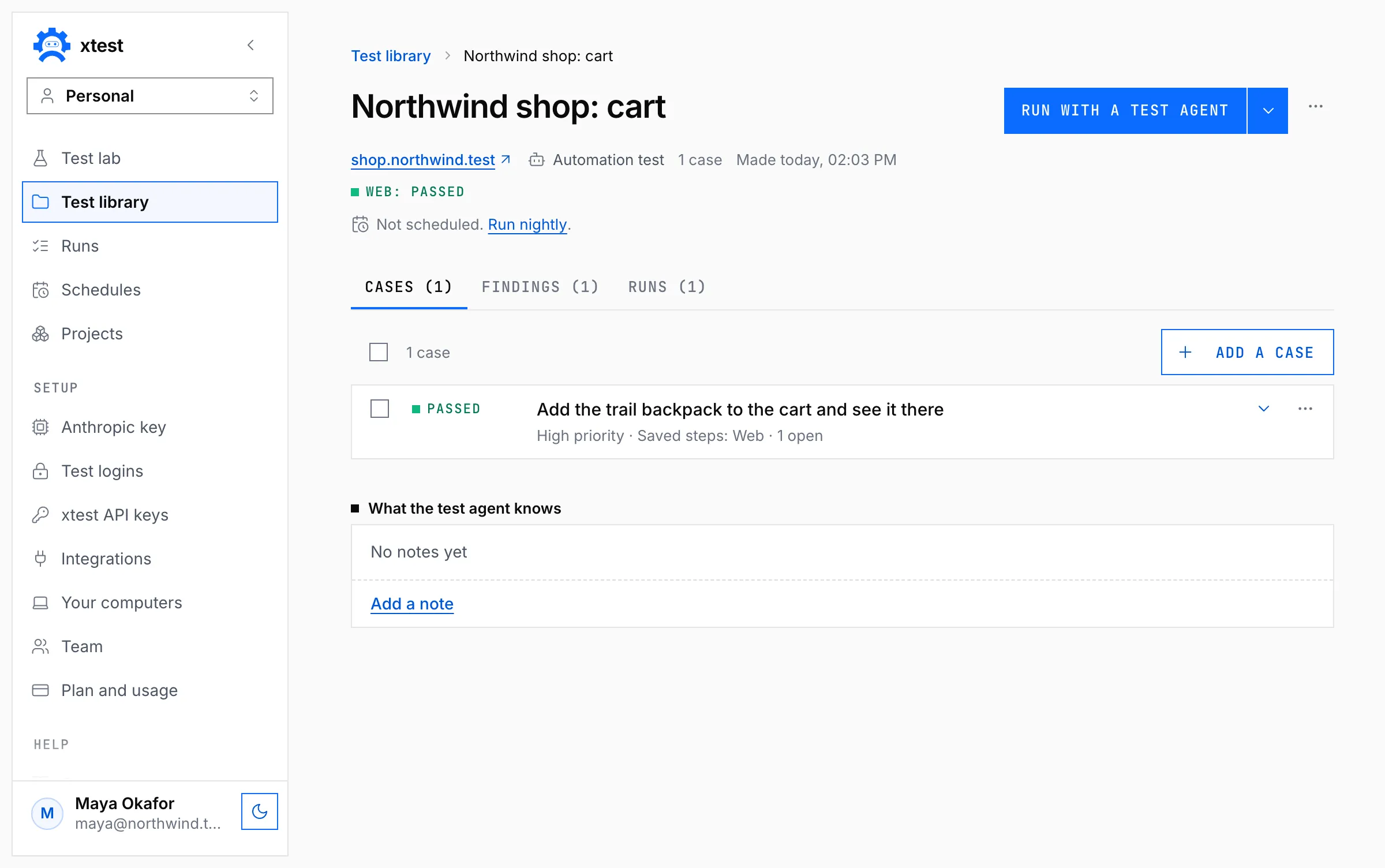
A saved test with its run button, and one case whose steps are saved for the web.
$0
AI cost of a replay when no step needs the AI
15 cents
About that much Claude to explore a test once
1 to 5
Times one run can repeat each test
200
Tests a run; a larger suite carries on by itself
[01 · The loop]
Explore once. Replay. Repair only what changed.
The first run works it out.Every run after that replays it.The AI comes back only for a step that needs it.
Explore
A test agent works the test out on the device, and a passing run saves its steps.
Replay
Later runs replay the saved steps with no model call unless a step needs it, after checking they start on the right screen.
Repair
When a step no longer fits, the test agent takes over from that step and saves the repair. With the AI off for a run, the test ends and says the steps no longer fit the app.
Approve
A repair that would change what the test checks never replaces the saved steps by itself: it waits as Check changed, needs your approval.
[Your suite]
Import up to 500 test cases from Excel or CSV and run them with a test agent.
[02 · Trust the result]
A pass you can believe, a failure you can read.
Replayed once before you hear
A saved test that fails is replayed once more before anyone is told; a pass on the second try is marked intermittent.
A serious finding cannot pass
A test that reported a critical or major problem is sent back once, then fails.
Strict mode
Replay the saved steps only and change none of them; a step that no longer fits ends the test with its reason. A test with no saved steps, or whose saved steps stop part way, is skipped, and one that types a value read off the screen stops at that step; the CI scripts in the docs fail the build on each. Per suite, or per run from the API and MCP.
Repeats
Run each test up to five times in one run, each attempt with its own result.
Needs a look
A step that ends somewhere other than where it ended before stops the replay with Needs a look instead of passing.
Values that change
A value read off the screen, such as an order number, is never typed stale: that step goes back to the test agent, or, in a run with the AI off, the test replays its saved steps up to that step and stops there, saying why.
[03 · Every night]
Scheduled runs, and one email in the morning.
- Cadence
- Daily, on weekdays or weekly, at a time in your own time zone, daylight saving handled
- Where
- The Cloud browser, or a computer that allows scheduled runs and test agents
- If a computer is off
- It gets up to an hour to come back, and a skipped run says why
- Who gets it
- People in the workspace, or addresses that confirmed once; every email’s stop link keeps working
- When it comes
- By default only when something changed, or every night if you ask, and a short still-running note after seven quiet nights
- What it says
- Failures first with the test and the step, passes as a count, and repairs waiting for approval
- Cases waiting
- A case a test agent added waits for a person to press Looks good on the test’s page; until then a night leaves it out, and the email says how many it left out under its verdict, with a link to the test
The email carries no screenshots and no secrets.
[04 · Approvals]
You decide when a test changes what it checks.
Every workspace holds a repair that would change a check until someone approves it or keeps the old steps. A workspace can also make every repair from a run nobody watched, such as a schedule, the API or MCP, wait for approval; an owner or admin turns that on.
[05 · What it does not do]
What it does not do
- Repair a step with the AI off for the run: the test ends and says the steps no longer fit the app.
- Run a schedule on a computer that has scheduled runs or test agents turned off.
- Start runs on your own computer from the API, MCP or CI.
- Compare screenshots pixel by pixel.
[06 · Questions]
Questions
No AI at all when every saved step still fits. A step that needs a value read off the screen goes back to the test agent, and that step uses the AI.
The regression test agent reports what changed and says whether the app looks broken or deliberately changed. A repair that would change a check waits for your approval.
A saved test that fails is replayed once more before anyone is told, and a pass on the second try is marked intermittent, so you can see which tests wobble.
Yes. Strict mode replays the saved steps only and changes none of them, per suite or per run from the API and MCP.
People in your workspace, and addresses that confirmed once. Every email has a stop link that keeps working.
Yes. Import up to 500 cases from an Excel or CSV file, or Xray tests by key from Jira Server or Data Center, up to 200 at a time, and run the suite with a test agent.
[Explore the product]
Explore the product
Every claim on this page was checked against xtest’s code on October 11, 2026. If one has gone stale, write to info@xtest.io.
Put your suite on a schedule tonight.
Saved steps replay at no AI cost unless a step needs it, and the morning email says what changed.