[Security]
How xtest handles your keys, your logins and your test data
xtest points an AI at your app and lets it run end-to-end tests, so it holds four things worth protecting: the Anthropic key you bring and any other provider’s key, the logins you save for the sites you test, the Jira or monday.com token your workspace connects, and the token of a test API your tests call to set up their data. None of them is ever written into a test file or a transcript. If something you need is not on this page, it is not implemented.
[In short]
AES-256-GCM
Your Anthropic key and any other provider’s key, saved logins, Jira or monday.com tokens and test API tokens sealed before storage
Ask first
The run stops before the AI pays, deletes or sends
Stripe
Card numbers never reach an xtest server
CSP + HSTS
HTTPS enforced, scripts only with a per-page nonce
None held
No SOC 2, ISO 27001 or PCI DSS certification is claimed
[01 · Where xtest runs]
Where xtest runs
Hosting
- One server instance, hosted on Railway
- Managed Postgres, hosted on Railway
- Cloudflare in front of every request
- One hosted service: no on-premises, private-cloud or air-gapped edition
Network
- HTTPS only, with HSTS
- Rate limits on sign-in and on the API
- A Content Security Policy with a fresh nonce on every page
- Private and internal addresses refused for custom AI provider URLs
Your own computer
- Only the person at that computer can allow test agents, in the app’s own window
- The key the xtest app signs in with can run tests and nothing else
- Apple’s test runner serves simulator screens on your own network
- It stays up to 90 seconds after the device closes
- Or 10 minutes while Test Lab shows that computer’s devices
- After Test Lab stops showing them, 4 minutes at most
[02 · What is stored, and what the AI sees]
What is stored, and what the AI sees
Encrypted at rest
Your Anthropic key and any other provider’s key, your saved site logins, the Jira or monday.com token your workspace connects and the token of a test API your tests call are sealed with AES-256-GCM before they reach the database, and the encryption key lives in the server environment rather than beside them. The titles, descriptions, steps, comments and names in xtest’s copy of your Jira tickets, tests and runs are sealed the same way, under a key of its own derived from that one, each bound to the record it belongs to. A connected system’s token is opened only to call that system for that workspace, and a test API’s token only for a run of its test, to call that test API and to keep it out of what the AI reads. A run on someone’s own computer sends that token to the computer, which makes the calls itself, a private address included, and only once test agents are allowed there. Xray is read with the Jira token, so xtest takes no separate Xray token. A server that cannot encrypt refuses to store the secret at all. xtest API keys are stored only as SHA-256 hashes.
Scoped to you, or your company
Suites, runs, scripts and saved logins are read and written with your account id, or with the company you are working in. Anyone else’s are not found. A login saved in a company is used by the tests of that company’s members, who can see its username. xtest never puts its password or authenticator key in a response or a log. On an Android phone, an xtest app older than version 0.5.14 could write a saved password the phone refused into the app’s own recent output, which Copy diagnostics copies, and could type a sign-in step saved at a point with the password on the computer’s command line. xtest sends no saved login to an Android phone on an app that old, and says to update the app instead. For anyone but the person who saved it, the password is typed only into a password or one-time code field on the login’s own site. Screenshots cover that field while it hides the password; if the site’s own show password control reveals it, it can appear in the live picture, in the screenshots the AI is shown and in those kept with a run. A test a member runs on their own computer types the password into the browser there, and an xtest app older than version 0.5.2 does not hold it to its own site. Once someone leaves the company, no new run of theirs can use it.
What the AI sees
While the AI works, the page content and screenshots it reads, and any file you attach to a message, go to Anthropic with the run’s own details: the device, the test, your notes, what was asked and done earlier in the same Test Lab conversation, and the names of the logins the run may use. In a Test Lab conversation, so do your devices and your workspace’s projects, runs, findings, tests, schedules and notes when the test agent looks them up, and what was asked and done in a teammate’s conversation you continue as your own, as it was when you continued it, without naming the teammate behind any of it or their computer, and a file you attached earlier when the test agent opens it again. So do the answers of a test API’s read-only checks the test agent asks: the status and up to 4 KB of each, with the token and the run’s secrets masked out. So does a Jira ticket the test agent reads, during a run or one you start from the ticket, as an untrusted tool result like page content, and the run keeps no copy of the ticket: a note the test agent saves after reading one waits for you to press Keep before the AI sees it again. Never a saved login’s username, password or authenticator key, and never a password, one-time code or PIN you type into the code or password field of the test agent’s question: xtest holds it and types it in itself. A saved login’s one-time code is never sent as words, but on a phone it can show in a screenshot while it is on screen. The live picture of a device is relayed to your dashboard and not stored.
[03 · How your data is protected]
How your data is protected
Your key, or the included AI
[How it works]On the $25 plan the Anthropic key you add runs the AI, and an OpenAI or Gemini key writes test cases from a page or a document; either way the key is used only for your own work. Professional and above call Claude with xtest’s own key, up to the month’s ceiling.
The AI asks before it pays, deletes or sends
[On by default]The server checks what a click would actually hit, and holds the run until you answer. It also asks before opening a site your task never named, so a page cannot talk the AI into going somewhere. A workspace admin can mark a test’s own address as a disposable test environment, where it does not ask; it still asks everywhere else.
Passwords stay on the server
[In place]A saved password is decrypted on the server to type it on the device and to mask it in what the model reads, and the model is told only that the field was filled. A password or code you type into the code or password field of the test agent’s question goes to the device the same way, in the Cloud browser or through the xtest app 0.5.16 or later; an older app does not type it, and you type it yourself. In the Cloud browser or Chrome on your computer, if the browser has gone to another site than the one it was asked on, it is typed there only once the person who started the run allows it. Any secret it did see is masked out of its written summary.
Passwords never enter a script
[In place]The recorder marks secret fields and sends no value. Generated tests reference an environment variable, so a password is never written into a file you might commit.
Sessions are yours alone
[In place]A browser session that already exists is checked against its owner on every request and on every live picture. Someone else’s session is reported as not found.
Generated code never runs here
[In place]Tests xtest writes are never executed on xtest’s servers. A generated test is checked by replaying its recorded steps, one click and one check at a time.
No third-party audit yet
[Not held]xtest holds no SOC 2, ISO 27001 or PCI DSS certification. If procurement needs one, ask now rather than during a security review.
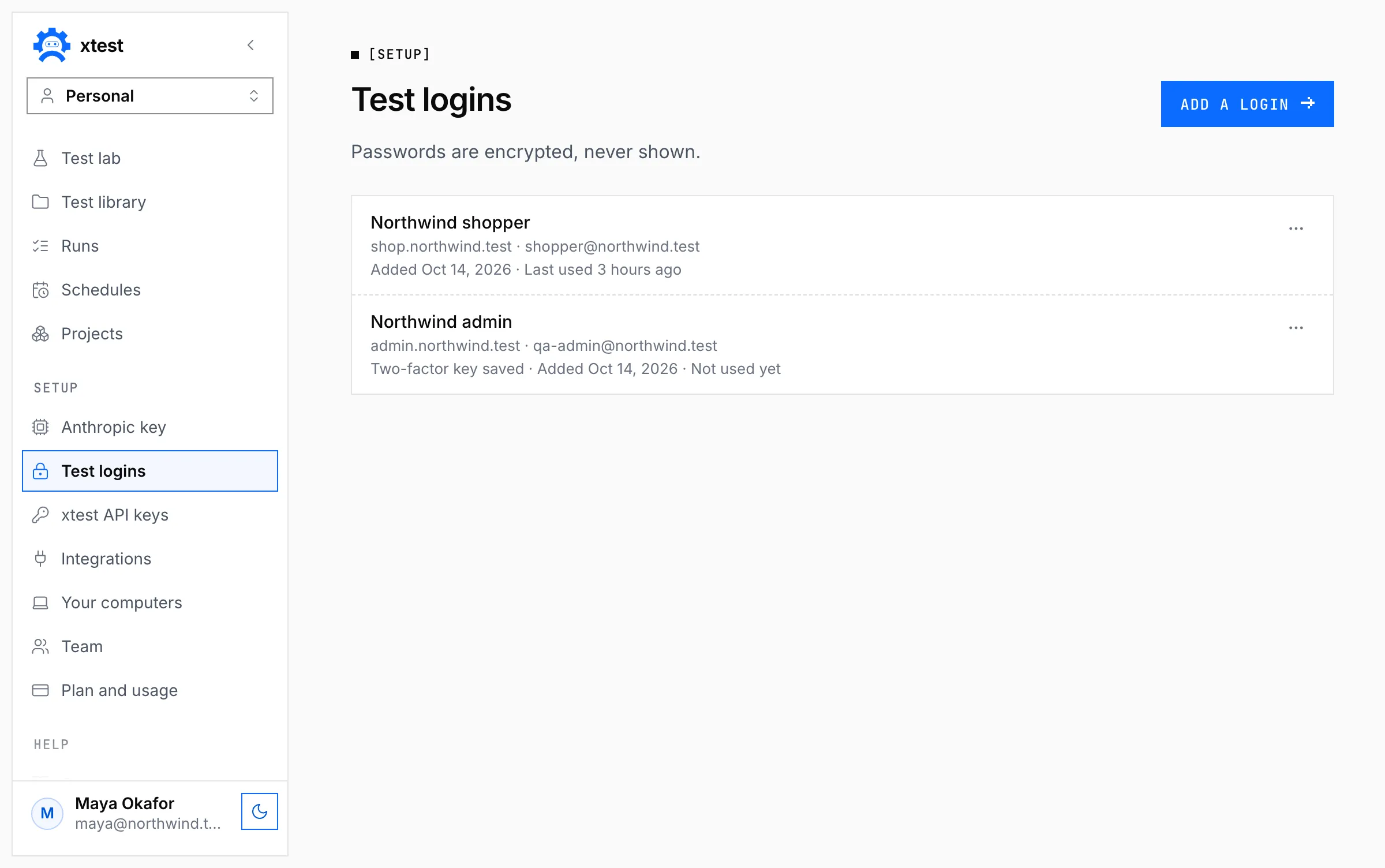
Saved logins the test agents sign in with. The list shows the site and the username; the password is encrypted and never sent back to your browser.
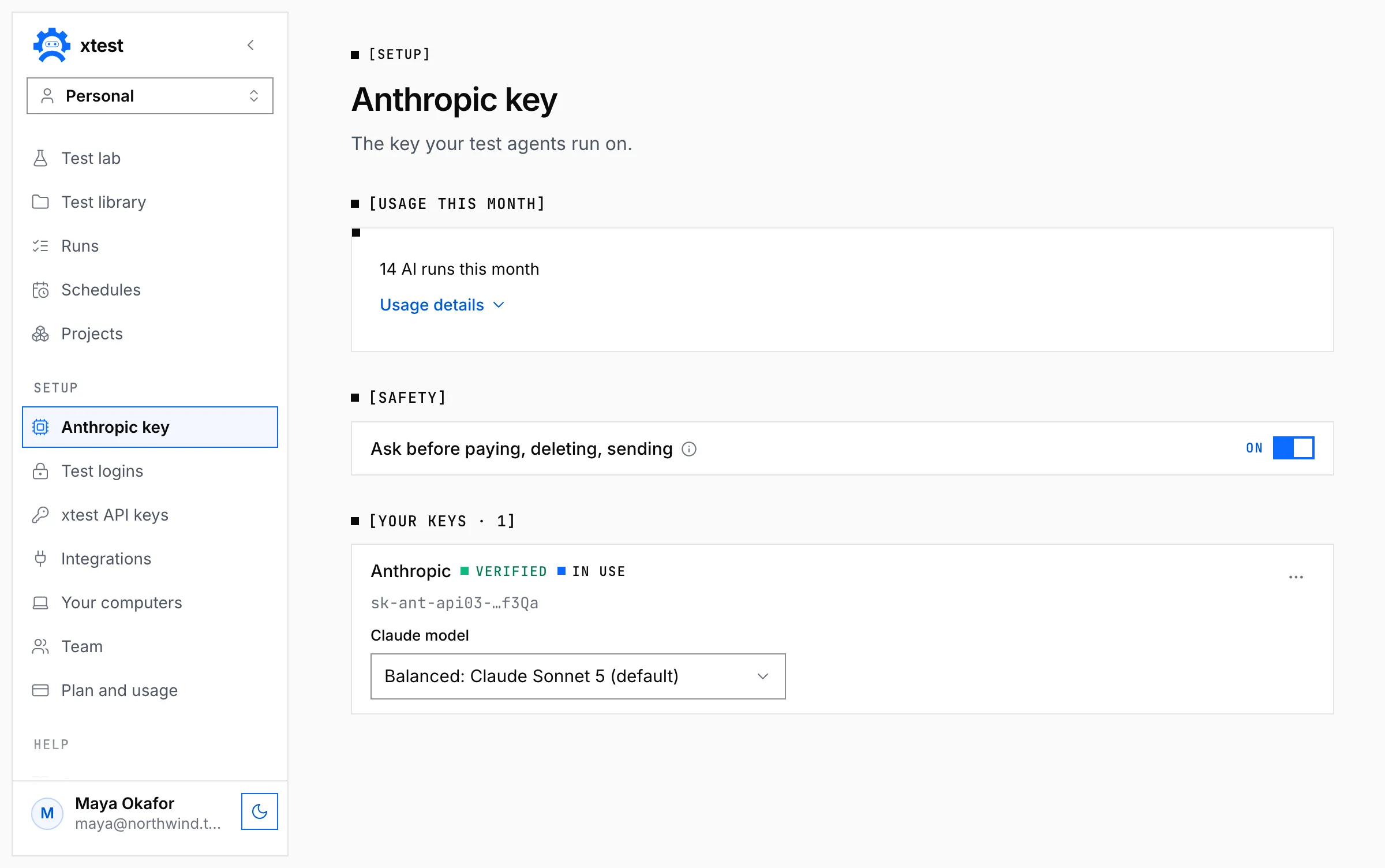
Your own key, stored encrypted and shown masked from the moment it is saved. The gate is the switch above it, on by default.
[04 · Practices and controls]
Practices and controls
| Practice | Status |
|---|---|
| Application security | |
| Automated test suite and build run on every pull request, and again on merge | Every change |
| Tests for sign-in, session ownership, address screening and the security headers | Every change |
| Access control | |
| Admin tools require a signed-in admin account | Always |
| Sign-in attempts are rate limited | Always |
| Not in place yet | |
| Multi-factor sign-in to xtest itself | Not available yet |
| Independent penetration test | Not done yet |
[05 · If something goes wrong]
If something goes wrong
There is no staffed operations centre and no round-the-clock rota; xtest is a small team. What there is: Railway’s health check on the service, and a plan for an incident once it is reported or detected. Work out what it touched, contain it, fix it, tell the people affected, then write up what happened.
[06 · Reporting a vulnerability]
Reporting a vulnerability
Tell us what you found and a person will reply. There is no bug bounty yet, and we will name you in the fix if you would like the credit.
info@xtest.io
Security reports, and privacy or data protection questions
Xtest Inc.
Delaware, United States