On this page
Browser testing
Browser tests run in a real Chromium on our servers, streamed into your tab, or in Chrome on your own Mac through the xtest app. You describe the test in plain English, a test agent carries it out, and you watch it happen.
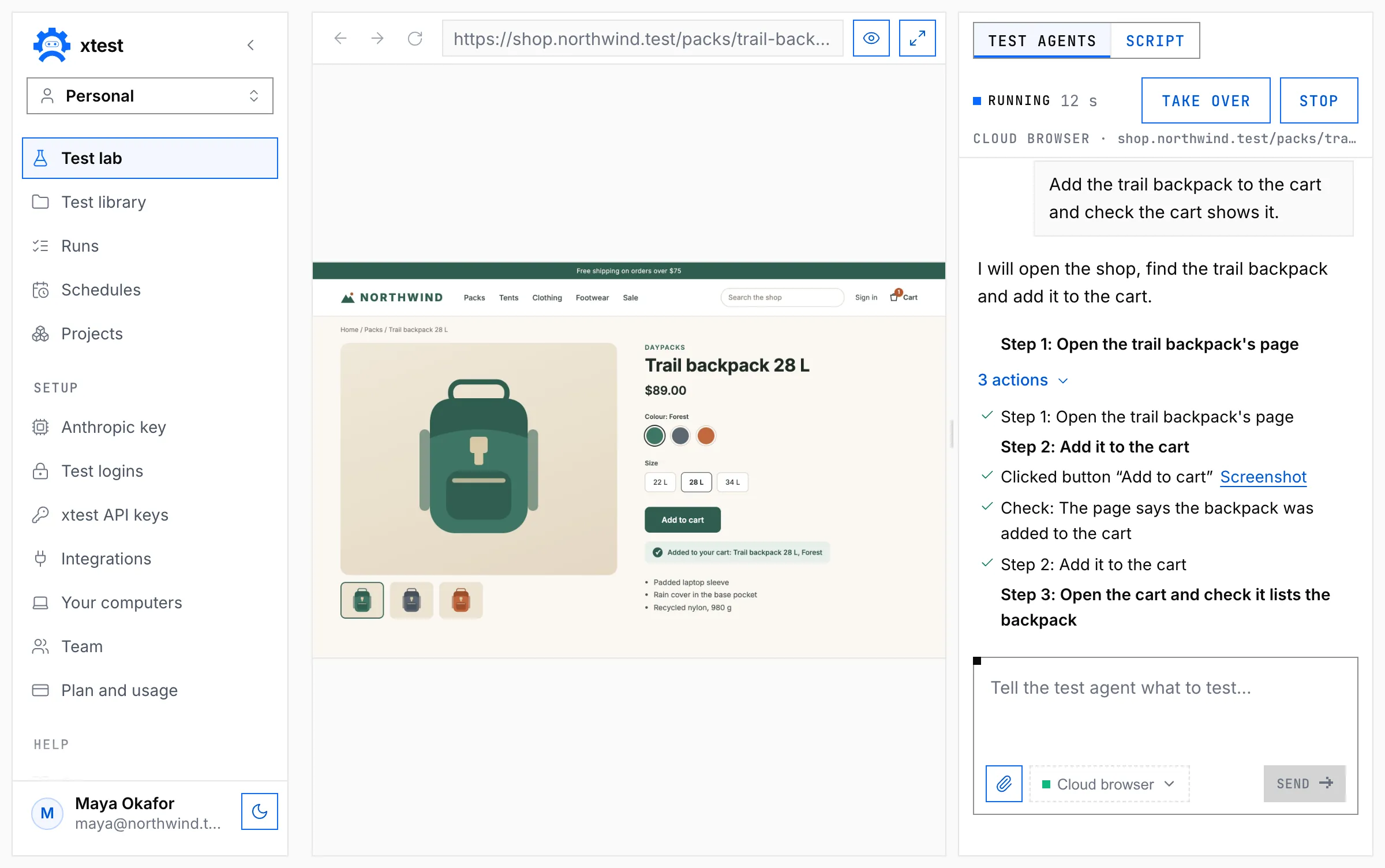
The picture on the left is the browser itself. Nothing is in an iframe, so a site that refuses to be embedded still loads.
The checks a test can make
The AI can only assert these eight things. They are matched against a fixed set of shapes and never evaluated as code, which is why a page cannot talk its way into a passing test.
text_visible
A phrase is on the page.
text_absent
A phrase is not on the page, which is how an error message is proven gone.
url_contains
The address went where it should have.
title_contains
The page title matches.
element_visible
A particular element is showing.
element_hidden
A particular element is not showing.
element_value
A field holds the value that was typed.
element_checked
A box or radio is ticked.
When something fails
The AI can read the browser console and the network requests the page made, so a failure comes back as the 500 that caused it rather than as "the button did nothing". The screenshots the test agent takes are kept with the run for 30 days, so you can see the page as it was at the moment it went wrong.
What the run record holds
Cloud browser · Claude Sonnet 5 · Today, 23:14 · 41 s · Included · 0.2% of this month's AI

  → opened the site                     Screenshot
  → typed the username                  Screenshot
  → typed the password
  → clicked Login
  ✓ url_contains  /inventory            Screenshot
  ✓ text_visible  "Products"            Screenshot

Result: passed.
Signing in
Save the login under Test logins and the AI signs in for itself, including a two-factor code if you add the authenticator key. Passwords are encrypted, never sent back to your browser, and never written into a transcript. On the xtest app's own Chrome window you can also just sign in once by hand: that window keeps its session between runs.
[Academy courses]