On this page
Browser configuration
There are two places a browser test can run: the Cloud browser, which needs nothing installed, and a browser on your own Mac or PC through the xtest app. You choose between them in the device picker, which sits at the foot of Test Lab's panel on the right, and there is nothing else to configure.
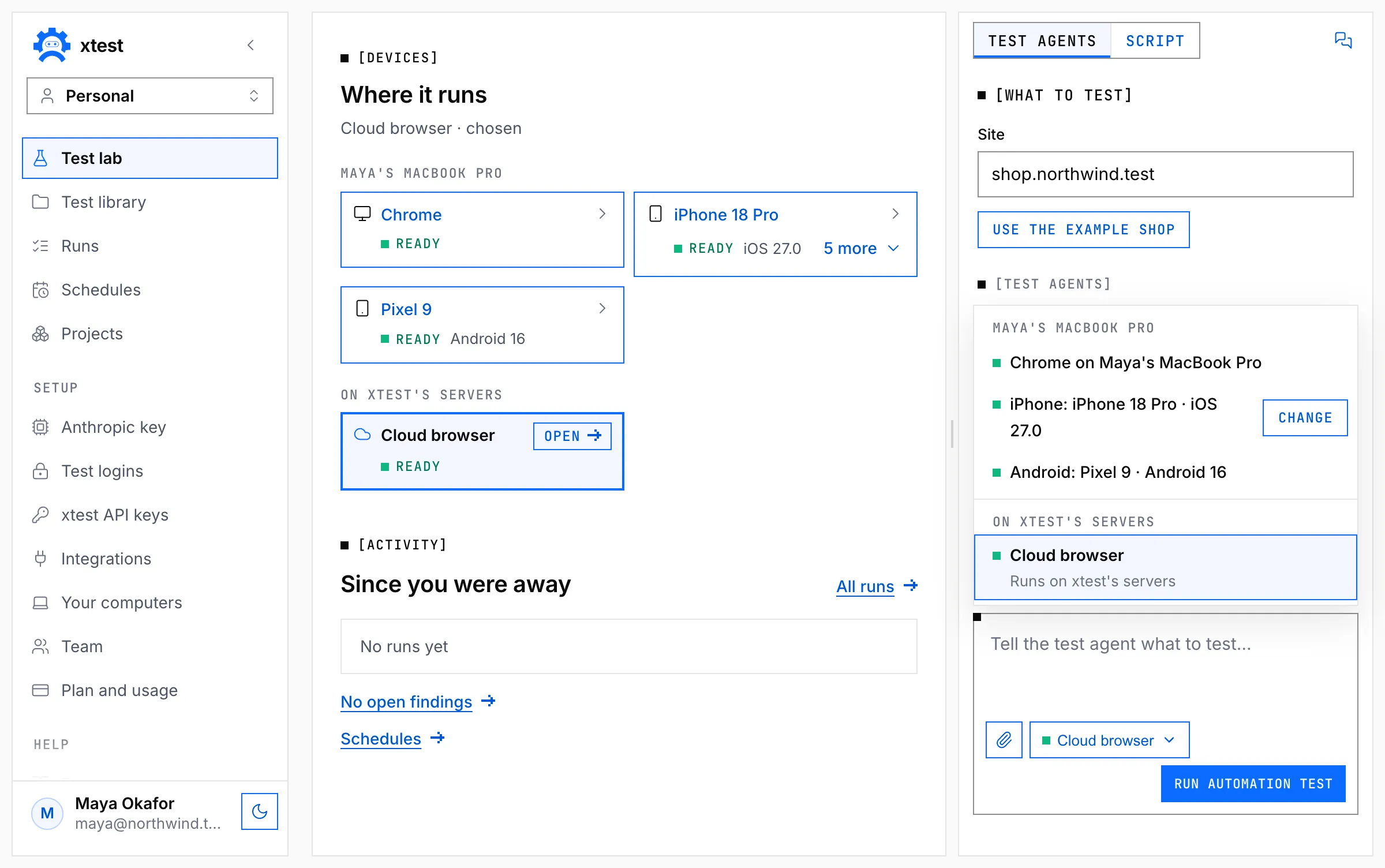
Everything xtest can drive for this account: three devices on a connected Mac, and the Cloud browser on our servers.
The Cloud browser
Engine
Chromium, driven by Playwright on our servers.
Window
1280 by 720, streamed to your tab as a picture you can click in.
Install
Nothing. No extension, no driver, no local Chrome.
Sites
Anything reachable over the public internet. Nothing runs in an iframe, so a site that blocks embedding still loads.
A device on your own computer
Browser
The app's own Chrome for Testing, in its own window, separate from your everyday browser; your installed Chrome or Edge stands in until it has downloaded. From xtest app 0.5.25, choose Chrome for Testing, Google Chrome or Microsoft Edge under Browser in the app's This computer window.
Why not Edge
When Edge can't be used, the app says why: it isn't installed; your organization's policy turns off its remote debugging (RemoteDebuggingAllowed = 0 or DeveloperToolsAvailability = 2, under HKLM or HKCU\SOFTWARE\Policies\Microsoft\Edge), or it refused remote debugging when xtest opened it; or a newer Edge last wrote xtest's Edge profile. Tests then use the next browser that works. Google Chrome follows the same rules.
Signed in
Sign in to your sites once in that window and the session is still there on the next run. Each browser keeps its own sign-ins in xtest, so after a switch you sign in once in the new one. Your everyday Edge or Chrome sign-ins and favourites don't carry over.
Saved tests
A saved test replays in the browser the computer uses now, whichever one it was saved in, and its run is named for that browser, such as “Edge on Ann’s PC”.
iPhone
Any simulator Xcode has installed, listed by model and iOS version. When Xcode has none, Set up downloads Apple’s iPhone simulator. Xcode is macOS only, so this needs a Mac.
Android
Any emulator in your Android SDK, listed by name and Android version. On an x64 PC they are listed for scripted runs; the AI cannot drive one there yet. An ARM PC has none.
Windows
The browser works the same on a PC from xtest app 0.5. An older app is told which version it needs, with the steps to update.
Permission
Nothing starts until you turn on Allow test agents (Allow AI control before xtest app 0.5.20) in the app on that computer.
Why the Cloud browser is deliberately boring
It launches with Chrome's own interruptions switched off. The crash-restore bubble is hidden, because a bubble sitting over the page fails a test for a reason no screenshot explains. Chrome's A/B experiments are switched off too, so the same suite behaves the same way on two runs. A testing tool has to be boring.
What you cannot set
Firefox and Safari are not offered, there are no WebDriver capabilities to pass, and you cannot pin a browser version or add launch flags of your own. If a test has to run in a browser we do not drive, record the flow instead: the recorder writes a Playwright file you can run wherever you like.