On this page
There is no self-hosted xtest
xtest is a hosted product. There is no on-premise build, no Docker Compose file, no Kubernetes chart and no licence to run it on your own servers. If your rules say the test platform must sit inside your network, xtest will not satisfy them today. What it can do is run the tests themselves on your own machine.
What the xtest app keeps on your hardware
The browser
The xtest app opens its own browser window on your Mac or PC: its own Chrome for Testing, separate from yours; your Chrome or Edge stands in until it is downloaded. The site under test is loaded by your machine, on your network, with your VPN and your certificates.
localhost and private addresses
Allowed on your own computer, and blocked in the Cloud browser. A build running on your laptop can be tested without exposing it.
Your signed-in sessions
That window is separate from your everyday browser and keeps its own profile. Sign in once and it stays signed in, so a staging login never has to be typed into a shared machine.
Phones
iPhone simulators and Android emulators run on your own computer, not in a rack somewhere. Nothing is installed on a device you do not own. Apple’s simulators need a Mac, and an x64 PC’s Android emulators are handed to the AI from xtest app 0.5.33.
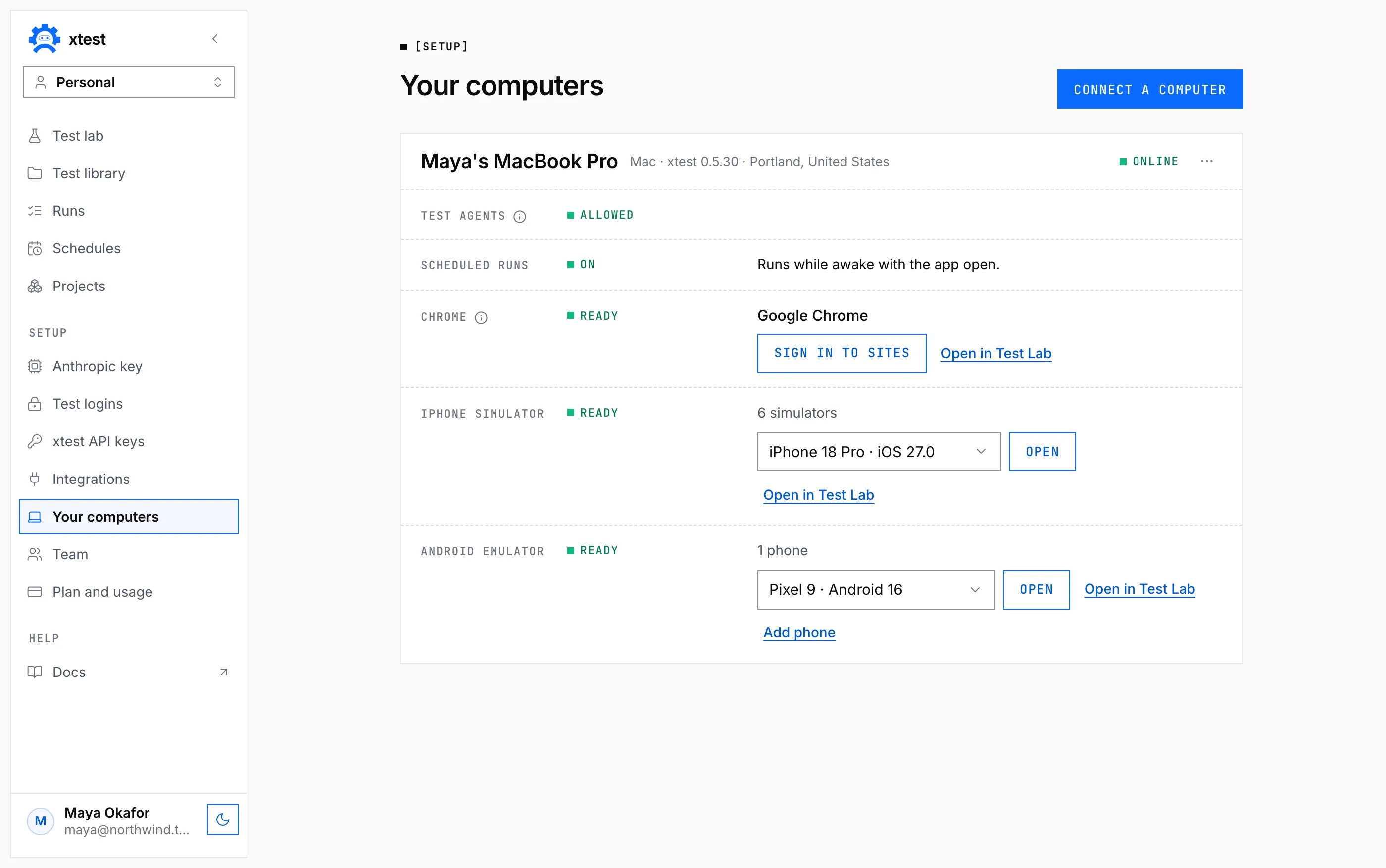
One Mac, online, with test agents allowed. Chrome, 6 iPhone simulators and one Android emulator are ready for a run to be sent to them.
Test agents can't use a computer until you turn on Allow test agents (Allow AI control before xtest app 0.5.20) in the app's own window there. Turn it off again and the dashboard stops offering the machine at all.
What still leaves your network
What the AI is told
The test agent is Claude, so the page content it reads, the screenshots it looks at and any file you attach to a message go to Anthropic, with the run’s own details: the device, the test, your notes, what was asked and done earlier in the same Test Lab conversation on any of your devices, and the names of the logins the run may use. In a Test Lab conversation, so do your devices and your workspace’s projects, runs, findings, tests, schedules and notes when the test agent looks them up, and what was asked and done in a teammate’s conversation you continue as your own, as it was when you continued it. So do a Jira issue the test agent reads and the answers of a test API’s read-only checks it asks. On the $25 plan that happens with your own Anthropic key. The privacy policy gives the details.
The live picture
Frames stream to the dashboard while somebody is watching, and stop five seconds after the last viewer leaves. They are never written to disk and never logged.
Steps and screenshots
Kept with the run, the screenshots for 30 days, in your workspace. In a company, every member can open the run and its screenshots. They can also read your Test Lab conversation in Runs and continue it as their own.
Never passwords
A saved password is encrypted with AES-256-GCM and never shown in the dashboard or the API. xtest types it without telling the AI the value, and every step records dots in its place. Screenshots cover the password field while it hides the password; a site's own show password control can reveal it on screen.
Bringing your own model
On the $25 plan every AI run is on your Anthropic key, so the bill and the audit trail are yours, and a run is Anthropic only: the toolsets a test agent drives a device with exist on no other model. Reading a page or a document and writing test cases from it also accepts OpenAI, Gemini or any OpenAI-compatible gateway at a custom base URL. That URL has to be a public https address: a model server on your own network is not reachable from xtest.io, and private addresses are refused on purpose, because a base URL the server will call is otherwise a way into it.
Before you ask procurement
We claim no certifications and publish no uptime figure, because we have neither. What is in place is described above and on the security page, and all of it is checkable behaviour rather than a badge.