On this page
Configuration
There is no configuration file. xtest has no CLI to read one and nothing on your machine to put one in: every setting lives in the dashboard, next to the thing it changes. Here is where each one is.
Anthropic key
The key the AI runs on, which model to use, and the switch that makes the server ask you before the AI pays, deletes or sends. On Professional and above the key is ours, and this screen shows how much of the month you have used.
Test logins
Logins the AI signs in with, one per site, with an optional authenticator key for two-factor sign-in. Encrypted before storage and never sent back to your browser.
xtest API keys
Keys for the REST API and MCP. A key is shown once when it is made and acts only in the workspace it was made for: your personal workspace, or a company you are in, where it stops working if you leave. Otherwise a key works until you revoke it.
Your computers
Each Mac or PC running the xtest app, whether test agents are allowed on it, and which of its devices are ready: Chrome, iPhone simulators, Android emulators.
What the test agent knows
Short notes kept per site, or per app on a phone, so the AI starts a run already knowing the things about your product it would otherwise have to work out. Each note is at most 300 characters.
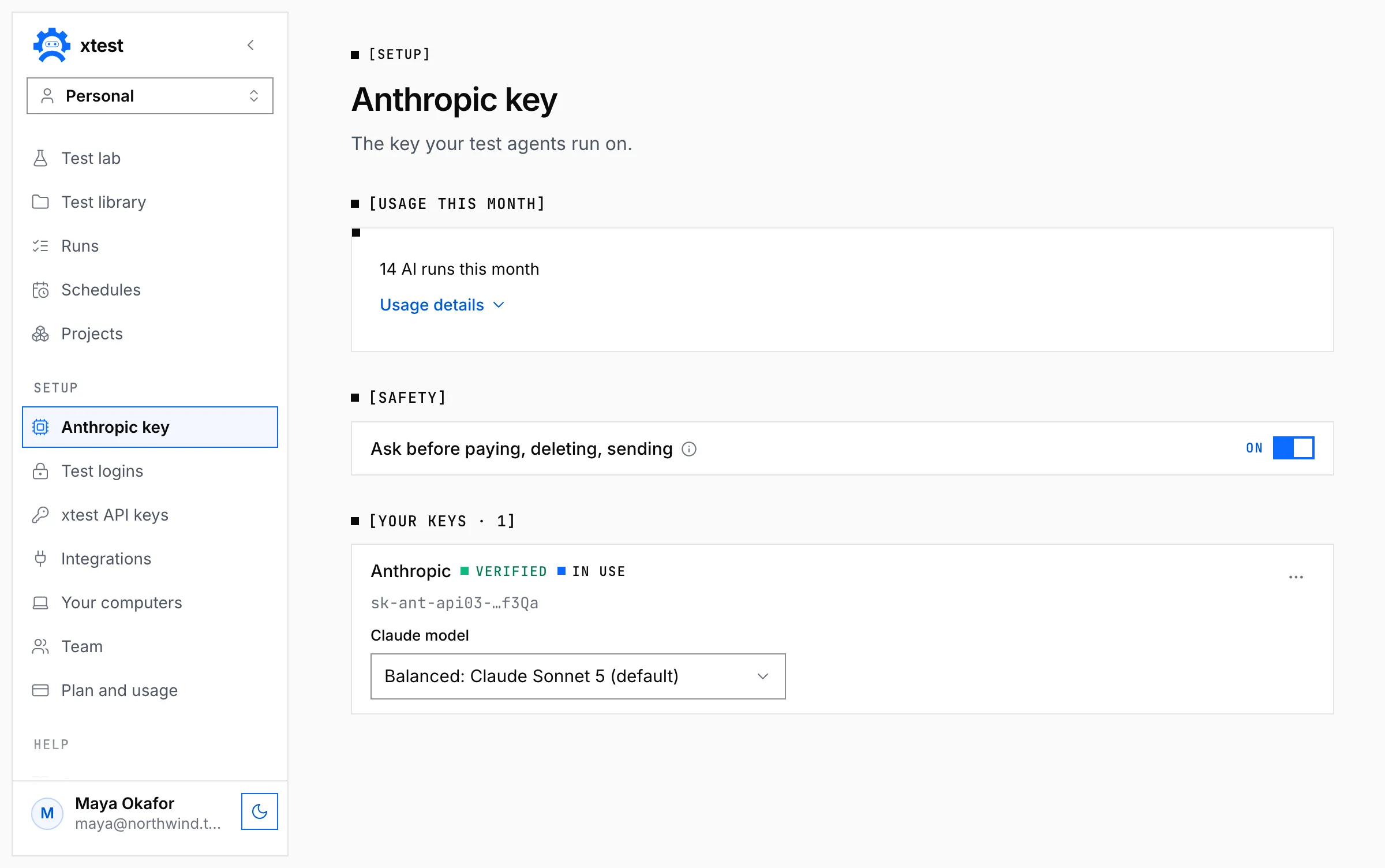
One key, verified and in use, with the model choice under it and the ask-first setting on above it.
The setting worth leaving alone
"Ask before paying, deleting, sending" is on by default and is checked on the server, not in your browser. With it off, the AI still stops before going to a site your task never mentioned, because that rule is what stops a page talking the AI into leaving.