On this page
Writing a test the AI can carry out
Most tests here are sentences, not code, so test design is mostly writing. A good one names a single outcome and a check a person could judge from a screenshot. A bad one says "test the checkout" and leaves the test agent guessing what would count as success.
Four rewrites
Test the login page
Sign in as the saved login for this site, then check the account menu shows the user name.
Check the basket looks right
Add the first laptop to the basket, then check the basket count reads 1 and the total matches the item price.
Test checkout end to end
Buy one laptop with the test card, then check the confirmation page shows an order number.
Make sure the site is fast
Open the product list and check the first product image is visible within five seconds.
Six habits
One outcome per test
A test that proves three things tells you nothing useful when it fails. Split it, and the run names the one that broke.
Say what, not how
Name the thing on screen and the result you expect. The AI decides which element that is, and remembers what it picked for next time.
Start where the test starts
A suite runs its cases in order on one device, so a test that assumes the last one left a basket full will fail on its own. Replay opens the suite address first, then does the steps.
Never type a password into a test
Save it once under Test logins and refer to it by name. It is encrypted, never given to the AI as text, and recorded as dots in every step. Screenshots cover the password field while it hides the password.
Put product knowledge in notes
The test card number, the quirk of your staging data: one note per site, read before every run there, instead of repeated in twenty tests.
Let it explore first, then edit
The AI writes better first drafts than a blank page does. Ask it to explore the site, then rewrite the tests it saved in your own words.
Editing a test throws its saved steps away
Saved steps are tied to the wording of the steps they were worked out from. Change that wording and the next run says so plainly, in xtest's own voice rather than the AI's: the test's steps changed since they were saved, so the AI will explore again. That is the right behaviour, and it is also a reason to get the wording settled before a suite grows to fifty cases.
A test also starts at an address of its own, the one it was made with. When a site moves, choose "Change address" in the test's menu and the steps that name the old address change with it, or change the link in the step that names it and the address moves with it. Either way, the saved steps that began at the old address are worked out again on the next run.
Design the app, not only the test
A data-testid on anything a test touches, and a real accessible name on every control, are the first two things replay looks for. They are worth more than any pattern on this page, and they cost one attribute each.
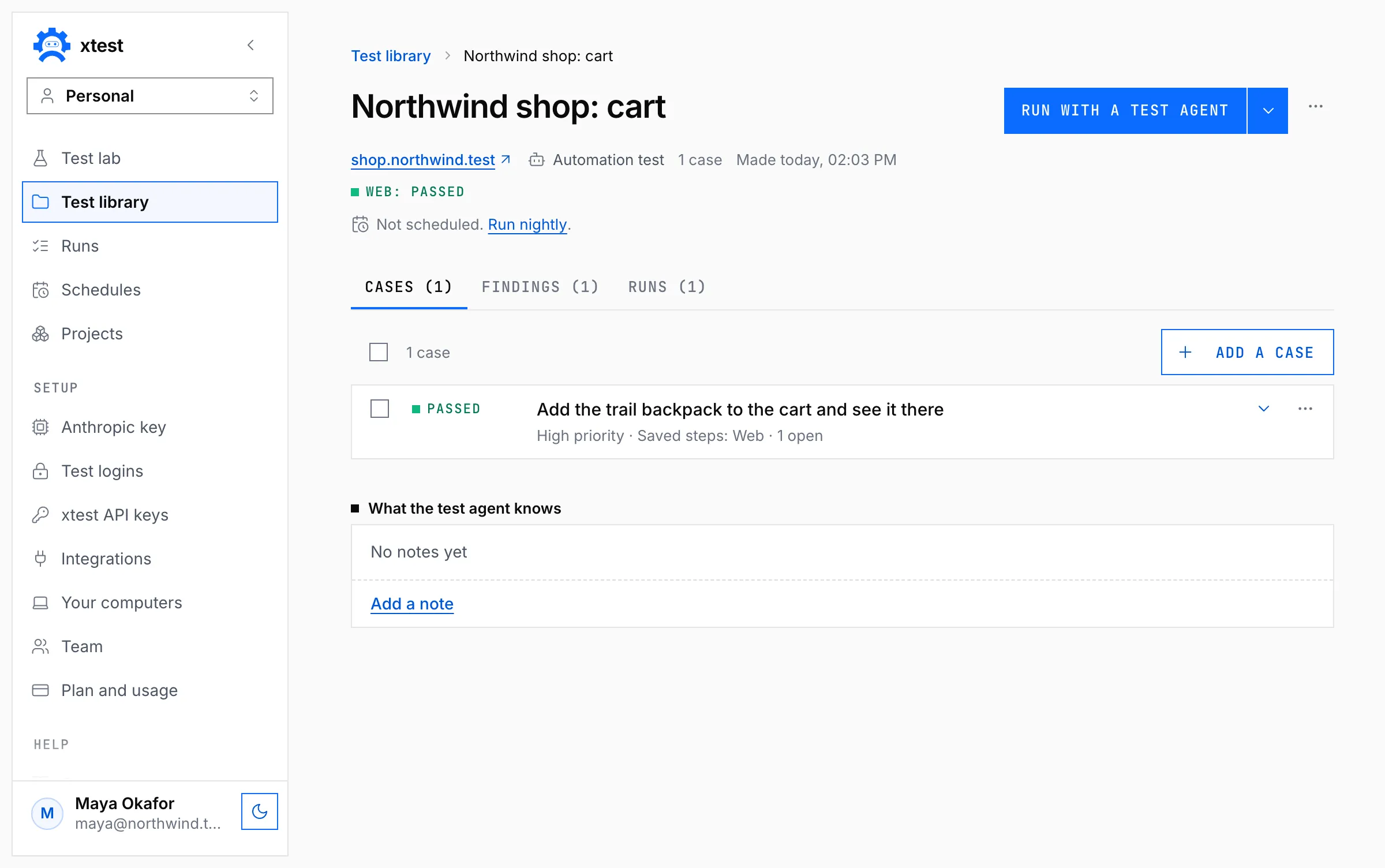
Each case carries its steps and its expected result and, once a test agent has carried it out, saved steps for the platform it ran on.
Tests that pay or delete
Write them, and keep "Ask before paying, deleting, sending" on. The run stops at a button named like Pay, Delete or Send and waits for you rather than guessing. If you would rather it never reach that point, end the test one step earlier: check the order summary rather than confirming the order.
[Academy courses]