On this page
How your tests are organised
The project structure is not a folder layout: there is nothing to scaffold and no config file to commit. Your test automation lives in the Test Library as suites and test cases, and everything a run produces is filed against the case it came from. This is the whole shape:
Test Library
└── Suite                     a website, a name, a description
    ├── Test case             title · scenario · expected result · priority · category · tags
    │   └── Saved steps       one set per kind of device: web, iPhone, iPad, Android phone, Android tablet
    └── Runs                  every run of the suite or of one case

Setup
├── Anthropic key             your Anthropic key, encrypted
├── Test logins               the logins the AI signs in with, encrypted
├── xtest API keys            for CI and the REST API
├── Integrations
├── Your computers            the computers running the xtest app
├── Team                      the people in your company and their roles
├── Audit log
└── Plan and usage            the month's AI and what the plan costs
Suites
A suite is a website and the tests you keep for it. Make one by hand, let the AI explore the site and write it for you, or import an Excel or CSV export from another tool. However it arrived, Run with a test agent works on it the same way.
xtest makes one more by itself: Finding checks, followed by the site or the app. Each verify run, which follows the steps of an issue a test agent reported to confirm it, keeps its test there. A workspace starts at most 20 verify runs a day, xtest starts them by itself unless an owner or admin turned that off on the Team page, and each one xtest starts by itself uses the key of the person who found the issue: their own Anthropic key if they saved one, otherwise the workspace's included Claude; one started by a press of Verify uses the key of the person who pressed it, the same way.
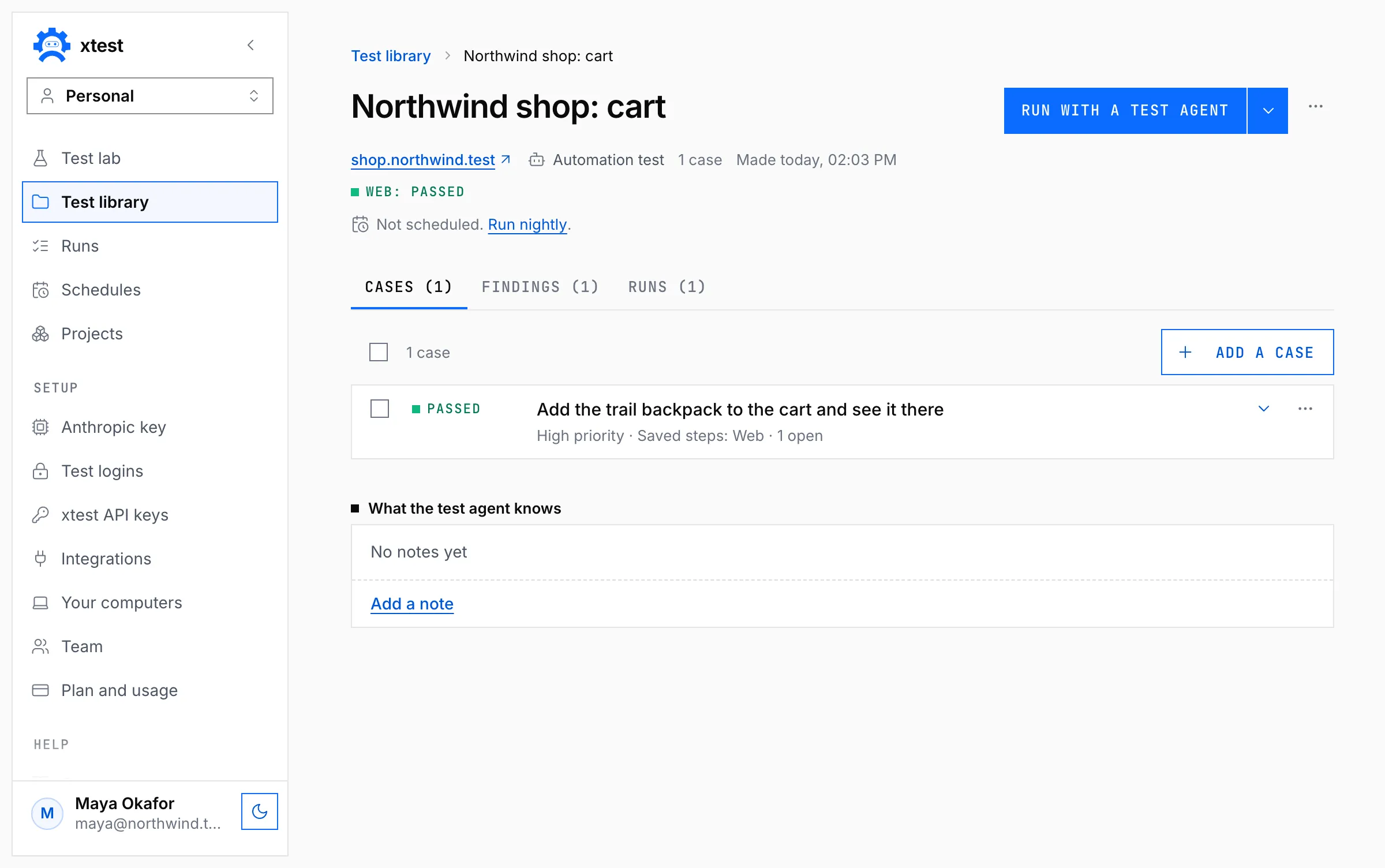
A suite a test agent saved from one run in Test Lab, with Run with a test agent at the top and its steps already saved for the web.
Test cases and their saved steps
A case is written as a person would write it: what to do and what should happen. Once the AI has worked it out on a device, the steps are saved under that kind of device, which is why a case can replay on the web at no AI cost unless a step needs the AI, and still need one AI run the first time you point it at an iPhone simulator.
Runs
Every run is kept: what was done, the checks, how long it took and what it cost, with the screenshots a test agent took for 30 days. Verdicts you record by hand are kept in the same place, so one report covers both.
Setup, which you touch once
Anthropic key holds the key test agents run on, Test logins the logins the AI signs in with,xtest API keys the keys CI, scripts and the xtest app use, and Your computers lists the computers running the xtest app. The Anthropic key and the logins are encrypted with AES-256-GCM before they are stored. An API key is stored only as a SHA-256 hash, which is why it is shown once, when it is made.