On this page
What you can change about a test run
There is no xtest.config.js and nothing to commit. Test automation settings live in two places: on your account, where they apply to every run, and on the run itself, where you pick the device and what to run. Three of them are also settable over the REST API, for a build server.
On your account
Anthropic key
Which key drives the AI, and which model. Anthropic drives Test Lab and Run with a test agent; Claude Sonnet 5 is the default. A key is encrypted with AES-256-GCM before storage and used only for your runs.
Before a test agent acts
"Ask before paying, deleting, sending", on by default. Before the test agent presses a button named like Pay, Delete or Send, the server stops the run and asks you on the run itself.
Test logins
A site, a username and a password for each login, with an optional name and an optional two-factor key. xtest fills them in without telling the AI the username, the password or the code made from the two-factor key, and the password never comes back to your browser. The username then stays readable on the page, like any text typed there, and on a phone the code can show in a screenshot while it is on screen.
What the test agent knows
Short notes kept per site, or per app on a phone, up to 300 characters each. The AI reads them before a run there, apart from one it wrote that waits for you to press Keep.
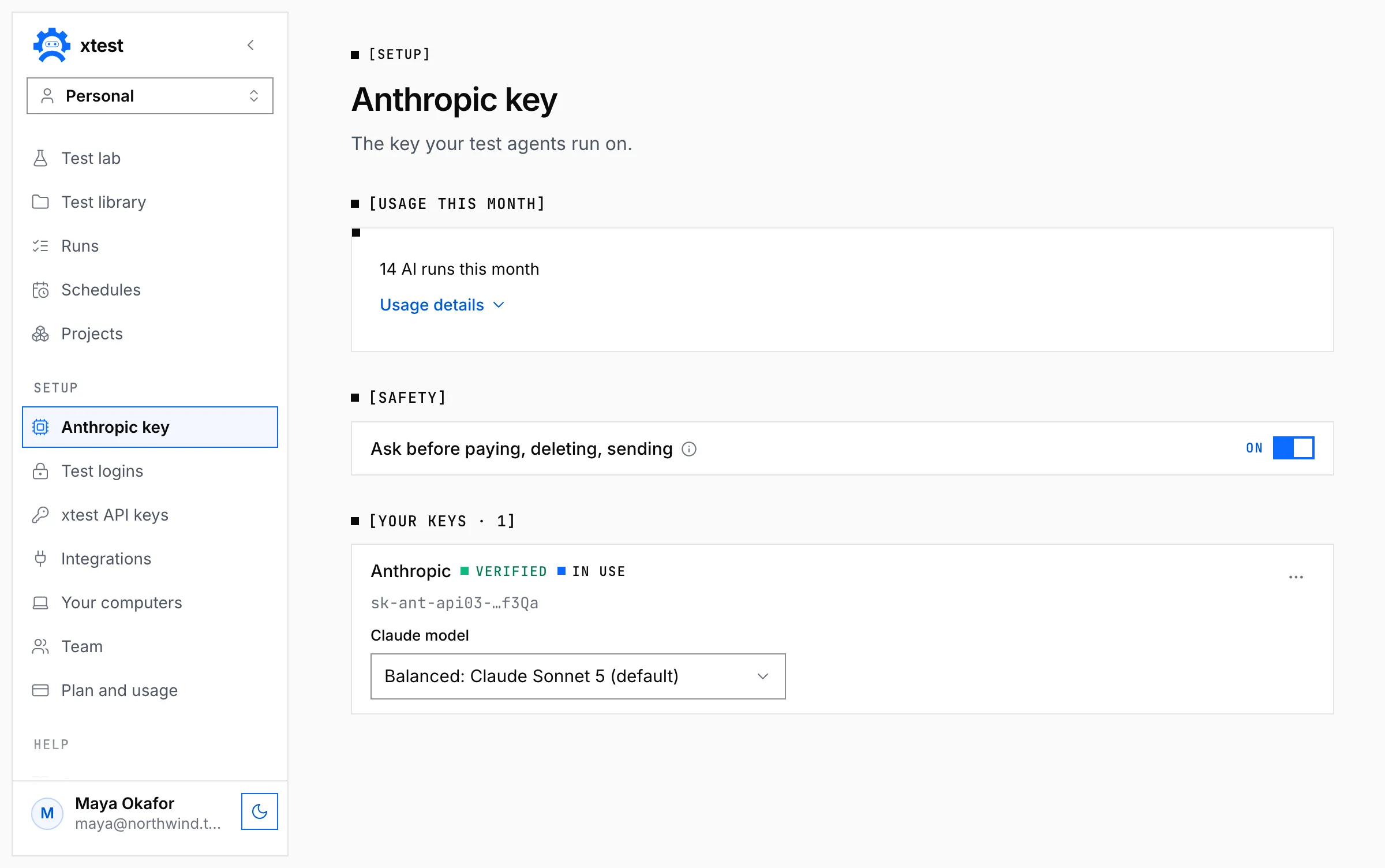
This month's AI runs, the ask-first switch on, and one verified Anthropic key with the model set to Claude Sonnet 5.
On the run
Device
Cloud browser, Chrome on your own Mac or PC, an iPhone simulator on a Mac, or an Android emulator on a Mac or an x64 PC, all through the xtest app.
Test type
One of eight, and it changes what the AI looks for rather than only labelling the suite.
Saved steps or AI
A suite with saved steps replays them; the AI is called only where a step broke or types a value read off the screen.
Which cases
A whole suite, or the cases you tick.
From a build server
POST /api/v1/suites/:id/runs takes five fields and nothing else: ai, strict, repeats, testCaseIds and deviceOptionId. Send "ai": "off" for saved steps only, "strict": true for saved steps only where a saved step that no longer fits ends its test and no saved steps are changed, and "repeats" from 1 to 5 to run each test that many times, each with its own result. Leave testCaseIds out for the whole suite, and note that deviceOptionId accepts only the Cloud browser. A run on your own computer is started from the dashboard instead, where you can watch it. The REST API page says what each answers when it is refused.
{
  "ai": "repair",
  "strict": false,
  "repeats": 1,
  "deviceOptionId": "cloud:web",
  "testCaseIds": ["…"]
}
Limits you cannot raise from here
Three AI runs at once, whoever started them: a fourth is refused rather than queued, with 409 over the API. And a monthly allowance of included AI set by your plan: when it runs out a run ends blocked, telling you to add your own Anthropic key or wait for the first of next month. On the $25 plan the allowance is whatever your own key will spend.