On this page
Watching a run live
While the test agent works, the device streams live into your browser: the Cloud browser, Chrome on your own computer, an iPhone simulator on a Mac, or an Android emulator on a Mac with macOS 12 or later, or an x64 PC, all through the same viewer. It is the device as it is now, not a recording, and you can take the mouse and keyboard off the AI at any point.
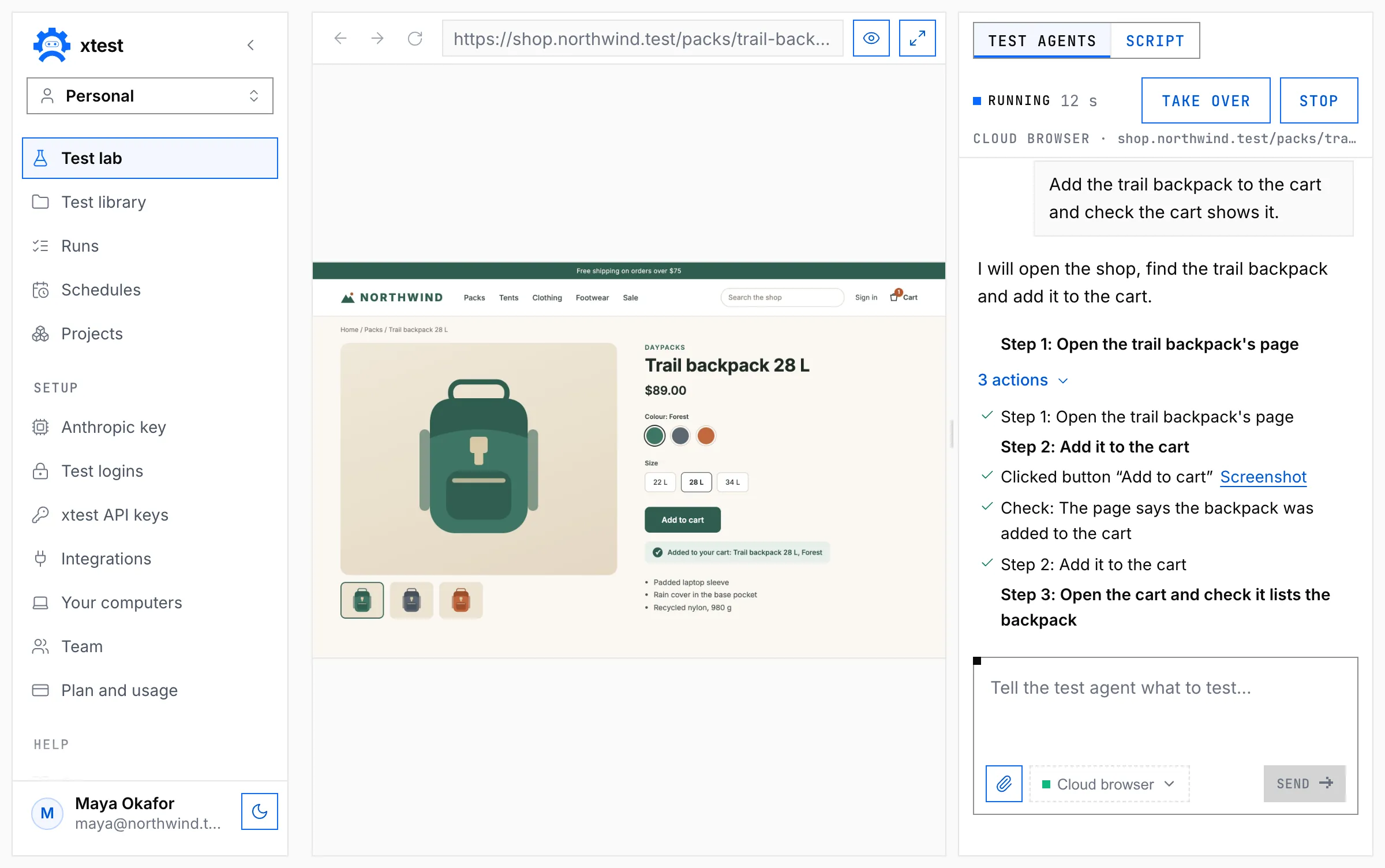
On the left, the page as it is right now, with the backpack the test agent just added to the cart. On the right, what the test agent has done so far.
How the picture reaches you
One websocket per device session carries JPEG frames, the run's events in order, and who currently has control. A page that has not changed sends nothing at all, so an idle form costs no bandwidth. You can watch the same session in several windows, and the device sends one stream sized for the largest picture any of them asked for.
When the connection is poor
The low-bandwidth profile caps the picture at 960 pixels on its long edge, drops the quality and sends every second frame. It applies only while every window watching has asked for it, and Sharper picture takes it back off. Nothing about the run changes either way: the AI works from what it reads on the device, not from the picture you are being sent.
Taking over
Take over sends your clicks, scrolls and keystrokes to the device and the run waits, marked “You have control”. Sign in by hand, dismiss whatever is in the way, then Give back and it carries on from there. Stop ends the run, and the steps up to that point are kept.
Who can watch
Only you. The socket opens with a single-use ticket rather than your login, the session must belong to you, and ownership is checked again for every frame sent and every input received. Frames from a run on your own computer are shown and then dropped: they are never written to disk or into a log. The screenshots the AI captured are the run's evidence, and they are kept with the run for 30 days, in your workspace; in a company, every member can open them.